

STL not watertight? How to fix open STL files and make them printable
Your slicer shows errors like "STL not watertight", open edges or non-manifold geometry? Then your model is not completely closed - and cannot be printed correctly. Find out here, why this happens, wie you es erkennst and wie you your STL file repair automatically.
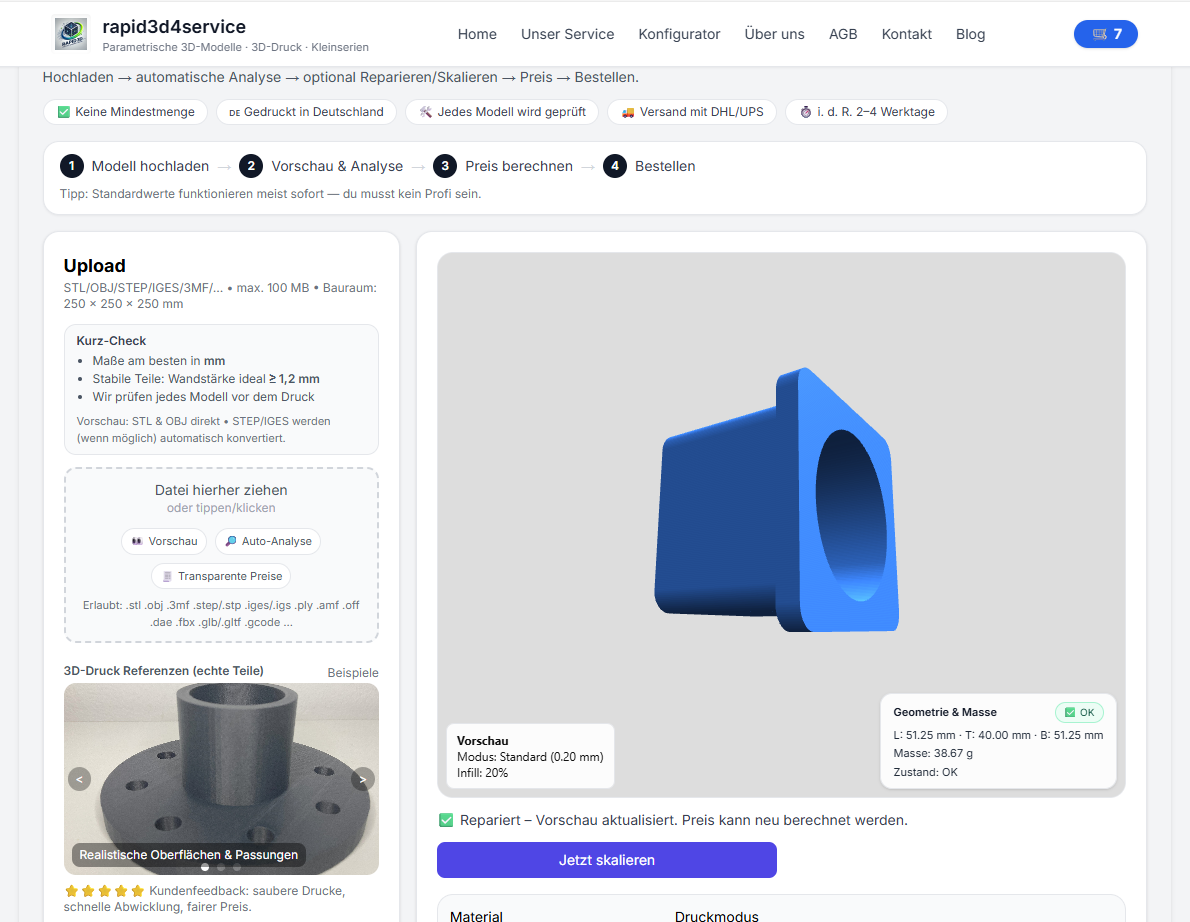
What bedeutet „STL nicht watertight“?
One watertight STL file is completely closed - each edge belongs exactly to two surfaces. If this is not the case Löcher, offene Kanten or widersprüchliche Geometrien. The slicer then does not know what is inside or outside.
- Open edges
- Non-manifold geometry
- Überlappende or invertierte Flächen
- Invalid CAD exports
Why ist eine nicht watertight STL problematisch?
- ❌ falsches volume → falscher price
- ❌ missing wall thicknesses
- ❌ Löcher or Brüche im print
- ❌ Fehldruck or Abbruch
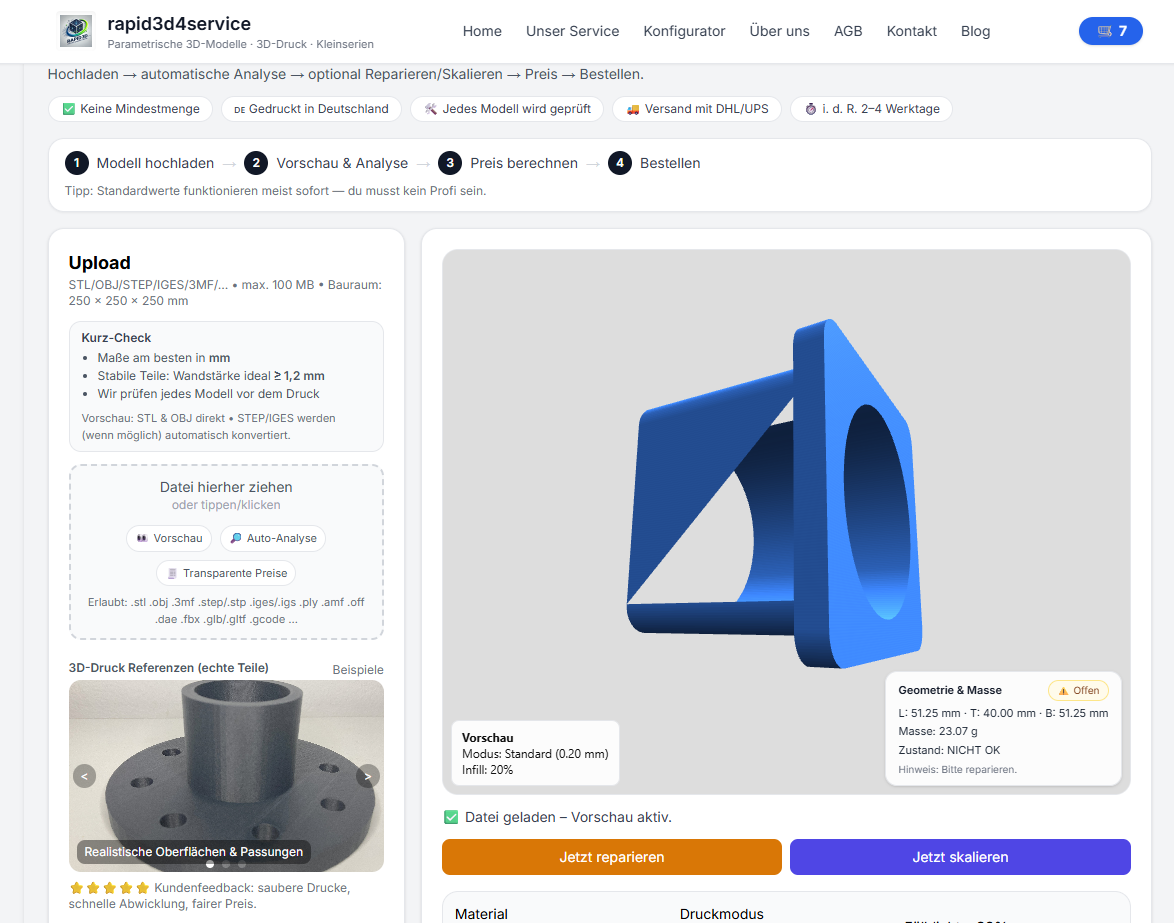
The simple solution: STL automatically check & repair
Instead of laboriously searching in the CAD or Mesh Editor, you can use your STL file directly upload. Our system recognizes typical STL errors, repairs open edges and generates a druckfähiges model.
- STL upload
- Automatic analysis (watertight / non-manifold)
- Reparieren with 1 Klick
- material wählen & calculate live price
- printen lassen
Also searched for:
stl not watertight, stl not watertight, stl repair, stl repair, check open edges stl, non manifold stl, mesh error stl, stl upload, make stl printable, stl repair service, 3d printing stl error