

📐 Turn a drawing into a 3D model
Upload your technical drawing, verify dimensions and views, then generate a 360° preview of the 3D model.
Use a clear source and check the preview carefully.
Upload → review recognition → confirm dimensions → generate 3D model.
📐 Upload drawing
Drag or click – JPG/PNG/WebP, max. 8 MB
Drawing reference
Example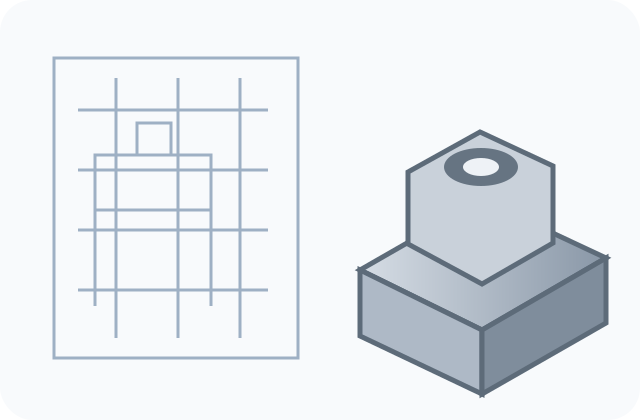
The control image shows the detected details.
Review recognition and assumptions
- Closed technical contours are analyzed; dimension text is not guessed.
- The physical dimensions required by the detected reconstruction mode are explicitly confirmed.
- If three views are detected, the front/top/side assignment is confirmed.
- Hidden internal geometry is not invented.
- Check dimensions and contours in the preview before ordering.
3D Preview
360°Image preview of your 3D model
Rotate the preview to inspect your model from all sides.
No source uploaded yet.
Dimensions and details refer to the generated model.
Please check the 3D preview carefully before ordering.
Not quite satisfied yet? Feel free to check back later – we are continually improving the results.
Please approve the finished preview first.
We ship with:


What our customers say
Real and verified Google reviews from our customers.
Real and verified Google reviews from our customers.
FAQ: Turn a drawing into a 3D model
Common questions about upload, preview, model and test flow.
Which source files work best?▾
Clear, high-resolution source images with a clean subject or readable drawing provide the most stable results.
Where do the model files stay?▾
Order a 3D print or receive the digital STL and your documents by email after verified payment.
Can I rotate the preview?▾
Yes. The 36 rendered views can be rotated with the arrow buttons or by dragging horizontally.
Is purchasing already enabled?▾
Your model is being prepared.