


Repair STL online: close open edges, recognize non-manifolds & make watertight
Your STL is openhas Holes or ist not watertight? This is one of the most common reasons for slicer errors, incorrect infill or misprints. Here you can choose your model check and (wenn nötig) repair automatically.
Quick fix (if you only need printability)
- STL upload
- Check analysis (watertight/open)
- Repair click (open edges/close holes)
- Verify "closed/watertight" status
- Optional: calculate price & have printed
Tip: If volume/weight are "weird", the model is often not watertight.
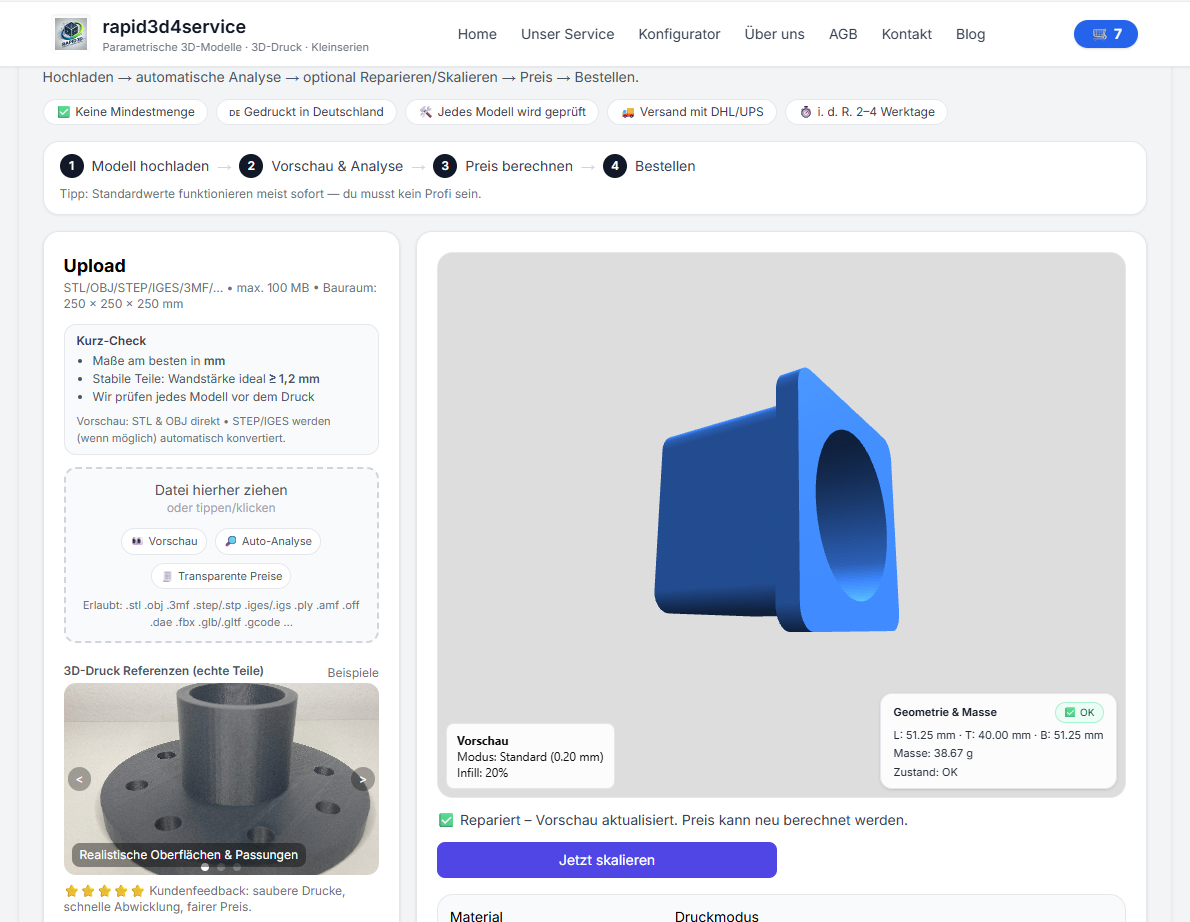
Why open edges & Non-Manifold den 3D printing kaputt machen
A STL is a triangular mesh. So that a slicer can calculate a body from it, the cover must closed be (watertight). With open edges, Holes or Non-Manifold the slicer can misinterpret the interior and walls.
- fehlende Wände / Löcher im print
- falsches infill or hohle Bereiche
- Slicer-error or extrem langsames Slicen
- unplausibles volume (price/costs falsch)
What wed bei der 3D model Analyse geprüft?
| Check | Why wichtig |
|---|---|
| Länge / width / Höhe | Passt das part? Stimmen die Maße? |
| volume | Basis für material/price – nur zuverlässig bei watertight modelen. |
| Weight | Hilft bei Einschätzung von Stabilität and application. |
| Watertight / closed | Decisive: printable as a body. |
| open edges / holes | Häufigster error – kann automatisch geschlossen werden. |
| Non-Manifold | Topology errors - can massively disrupt slicers. |
Typische STL-Probleme (and wie sie aussee)
- open edges: Mesh is not closed → not watertight
- Holes: Openings in surfaces → Interior not defined
- Non-Manifold: Kanten/Flächen falsch verbanden → Slicer stolpert
- Normals wrong: Flächen zeigen gemischt nach inner/außen
- Selbstüberschneiyoungen: Geometry cuts itself
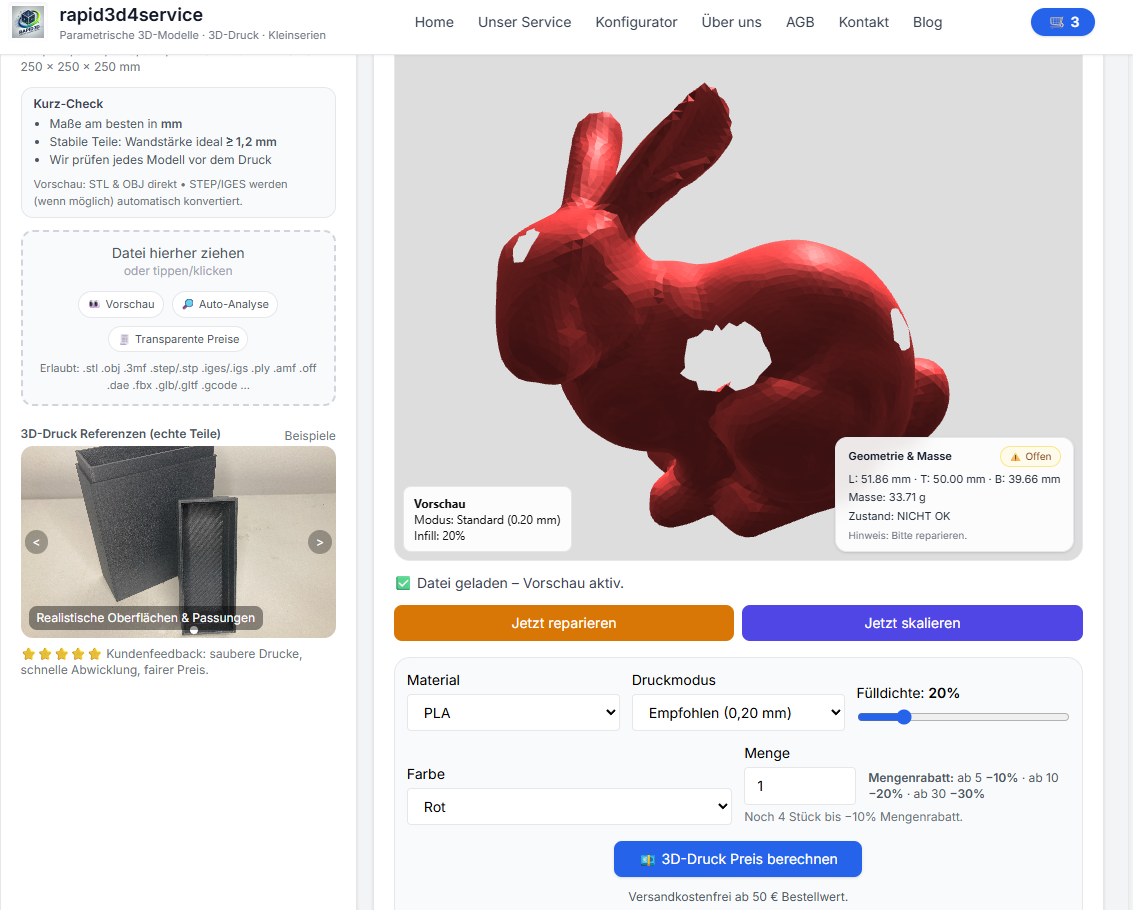
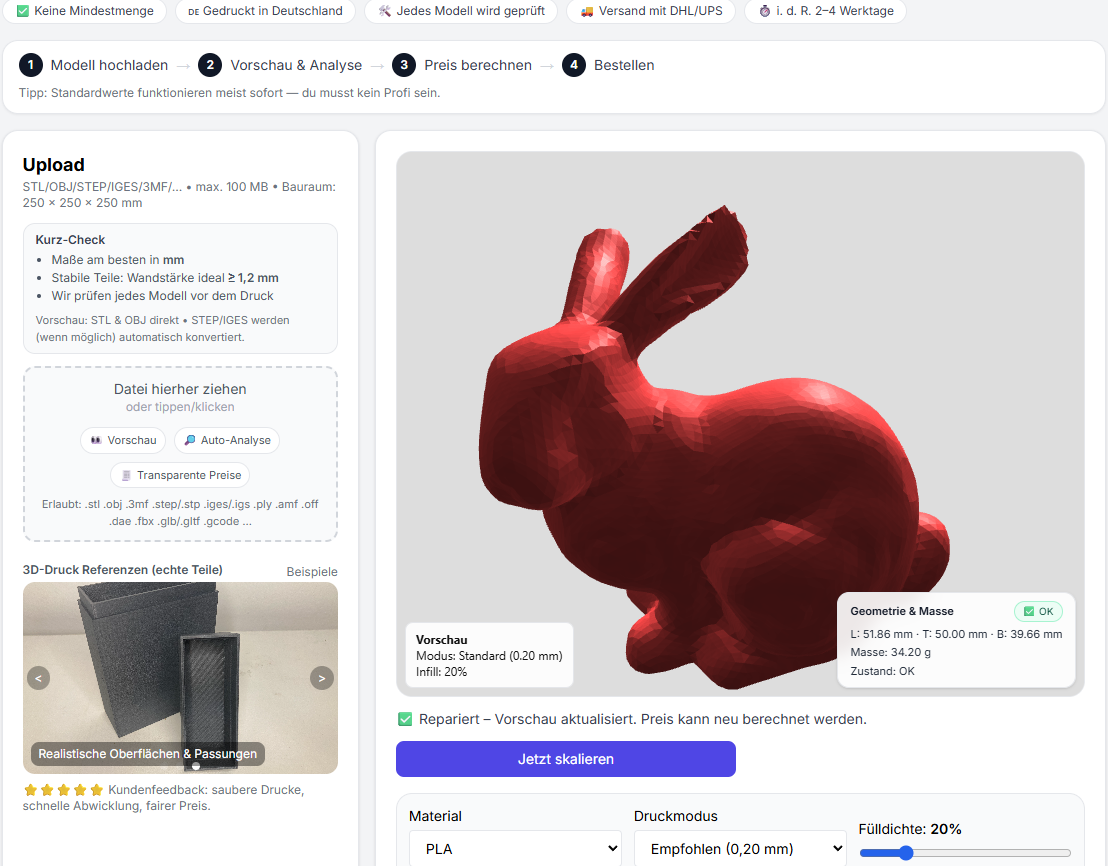
STL Repair step-by-step
- STL upload
- Analysis: Maße/volume/Gewicht + watertight/open edges Status
- Repair: open edges/close holes, correct surfaces
- Re-Checkcheck status (closed/watertight)
- Optional: calculate price & have printed
Tips: So vermeidest you offene STL
- Beim CAD-Export auf „geschlossenes volume“ achten.
- Dünne Flächen vermeiden – Wänden echte thickness geben.
- Downloads/Scans immer einmal prüfen, bevor you slicest.
- When the slicer warns: first diagnose, then repair.
STL repair now & make printable
Upload your file, check the mesh status and repair it with one click. You can then calculate the price directly or have it printed.
FAQ
What bedeutet „watertight“ genau?
Watertight means "waterproof" in the sense that the mesh is completely closed. Only then can the slicer clearly calculate the interior.
Why is volume often wrong with open STL files?
Volume presupposes a closed shell. Open edges/holes make the interior ambiguous, which makes volume and therefore material/price calculation unreliable.
What mache ich, wenn Repair nicht klappt?
For very damaged files, it often helps to re-export from CAD, simplify or repair parts. If you want: send the file briefly - then we'll tell you what makes sense.