

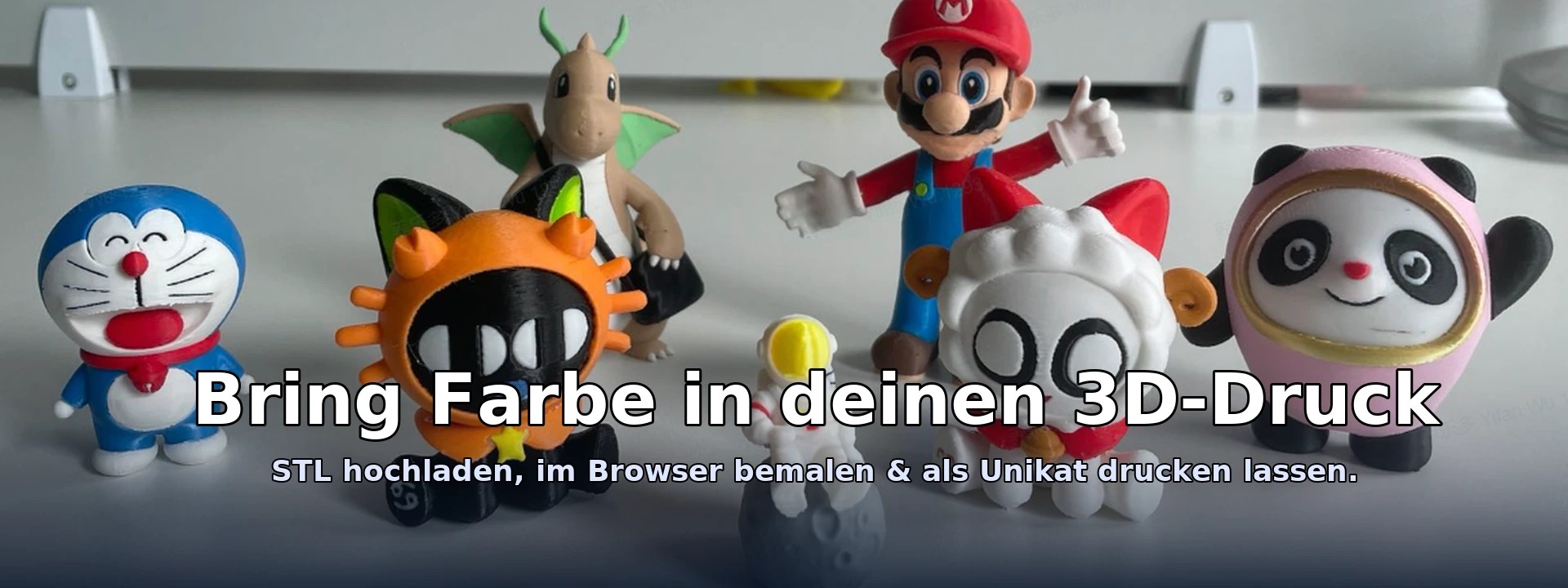
Why ein 3D-Malwerkzeug im Browser?
Many projects need quick color accents: logos, marking areas, presenting prototypes or real Mehrfarb-printe prepare. Instead of complex CAD software, you simply use your browser - instantly, device-independently and without installation.
Your Vorteil: Slim-Browser-Malen
- Sofort startclear: Open link, load STL, start painting.
- Intuitive: Brush, lasso, area/plan/smart selection - like in an image editor, only for 3D.
- Performance lean: optimized display, overlay lasso, undo/redo.
- Exportable: GLB (Echtzeit-Visualisierung) and 3MF (colors pro Dreieck/Part) – ideal für Präsentation & print preparation.
So bemalst you your 3D-model Schritt für Schritt
- STL load: Öffne das Tool and wähle your STL file.
- Select tool: Brush for freehand, lasso for regions, "Smart/Auto" for intelligent regions.
- color setzen: Palette klicken or gewünschte color auswählen.
- Paint: Weiche Kante aktivieren (optional) and über die Oberfläche streichen.
- Fine edge: Draw lasso → Double click → Füllen; with „Feather“ wekt der Rand glatt & weicher.
- Export: GLB/3MF speichern – ready für Visualisierung or farbigen 3D printing.
The painting tools at a glance
🖌️ Brushes
Freihand-Malen with wählbarem diameter and optional soft edge. Perfekt für faste Farbakzente.
✏️ Lasso / Circle & Fill
Ziehe eine Linie um den Bereich. Mit Doppelklick schließt you das Lasso and füllst die Auswahl. Ideal für cleare Formen.
⛯~ Feather-Fill (soft edges)
Ein Lasso-Fill with smooth transition zur Umgebung. Your Ränder werden sichtbar glatter – perfekt für Logos, Konturen and feine Details.
▲ Triangle, ▦ Surface, ▭ Plane, ⛶ Island
Regionserkennung nach Normalen, Koplanarität or zusammenhängender Insel – so markierst you Flächen logisch and fast.
✨ Smart & 🪄 Auto
Intelligente Auswahl, die angle, Krümmung and Topologie beachtet. „Auto“ kombiniert Ebenen-/Zylinder-/Smart-Heuristiken.
🎯 Face-Groups
„Generate FG“ erstellt Gruppen wie in MeshMixer. You kannst gruppenweise markieren & füllen – super für komplexe modele.
Export: GLB & 3MF with colors
GLB (glTF binary)
- For what? Web-/AR-Visualisierung, Viewer, Präsentation, faste Freigaben.
- Advantage: Leicht, modern, perfekt fürs Web – colors bleiben erhalten.
3MF (3D Manufacturing Format)
- For what? print preparation with Farbinformationen.
- Per-Corner: Colors per triangle corner for maximum precision.
- Multi-Part: Je eine file pro Farb-Bucket → praktisch für Slicer/Workflows.
Pro-Tip
Wenn your Ziel morefarbiger 3D printing ist, exportiere als 3MF. For presentation only GLB. You kannst beides generate.
Von der Idee zum farbigen 3D printing – your simpleer Weg
- model im Browser bemalen (Brush, Lasso, Smart, Feather).
- Export 3MF (colors) or GLB (Visualization).
- Bei us farbig have printed – we kümmern us um material, Qualität & shipping.
FAQ: Frequently asked questions
Bleiben die colors beim Export erhalten?
Yes. In GLB and 3MF sind your Farbinformationen enthalten.
Can I glatte Ränder without Zacken bekommen?
Yes. Nutze Feather-Fill or die weiche Kante beim Pinsel. Für Kanten an Planflächen hilft die „Ebene“-Auswahl.
Does it work on every device?
Das Tool läuft im Browser (Three.js) – Desktop wed empfohlen. Morne mobile Geräte funktionieren meist ebenfalls gut.
Are you adopting multi-color 3D printing?
Upload your colored 3MF/GLB or send us the model - we advise material & colors and print in professional quality.
Ready loszulegen?