


Kabelhalter parametrisch konfigurieren & 3D drucken: Cable Ø, screw, clamps - without CAD
Whether in the switch cabinet, on aluminum profiles or on the workbench: a clean cable holder saves time, prevents chafing and holds cables securely in place. With our parametric cable holder you adjust the most important dimensions online, create a print-ready STL and kannst sie download or directly 3D printed.
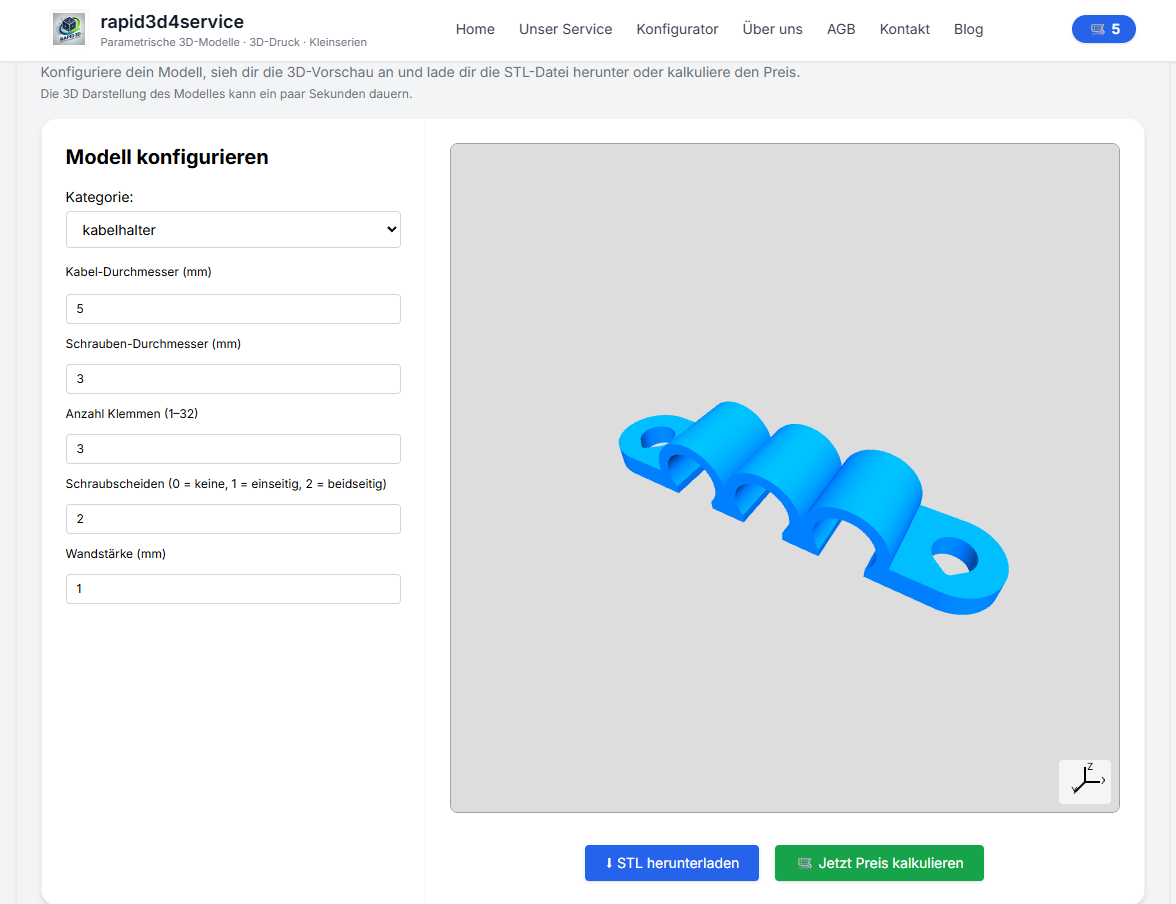
What is the cable holder suitable for?
The clip is ideal for single lines up to moreeren parallel guided cables (via the number of terminals). The holder can be attached directly to wood, plastic or metal using the screw sheaths. Typical applications:
- Cable management on Aluminum profile framemachine housings, workbenches
- Cable routing in Switch cabinet or am Kabelkanal
- Prototyping: fast custom brackets instead of standard clips
- Fixation of Sensor linespneumatic hoses (depending on Ø)
The most important parameters (and what they do)
To keep the configuration simple for everyone, we focus on the following in the configurator 5 core sizes. The rest (screw clearance, chamfer, printability) is already preset internally.
| parameters | What er macht | Praxis-Tip |
|---|---|---|
Kabel-diameter (cable_diameter) |
Determines the inner radius of the clamp (cable holder). | Bei rauer Außenhülle lieber etwas more Spiel einplanen. |
Schrauben-diameter (screw_diameter) |
Legt die Schraubbohrung fest (inkl. print-Spiel). | Für Holzschrauben ggf. smaller wählen (selbstschneidend). |
number Klemmen (num_clamps) |
Multiple clips in a row, perfect for parallel lines. | Für cleanes Layout: gleiche Kabelyourchmesser gruppieren. |
Screw sheaths (num_screw_sheaths) |
0 = no, 1 = einseitig, 2 = beidseitig (symmetrisch). | 2 ist stabil, 1 spart material, 0 für Kleben/Zip-Tie-Setups. |
Wall thickness (wall_thickness) |
Beeinflusst Stabilität der Klemme and „Biss“ beim Einclipsen. | 1.0-1.6 mm for light cables, 2.0+ mm for robust cables. |
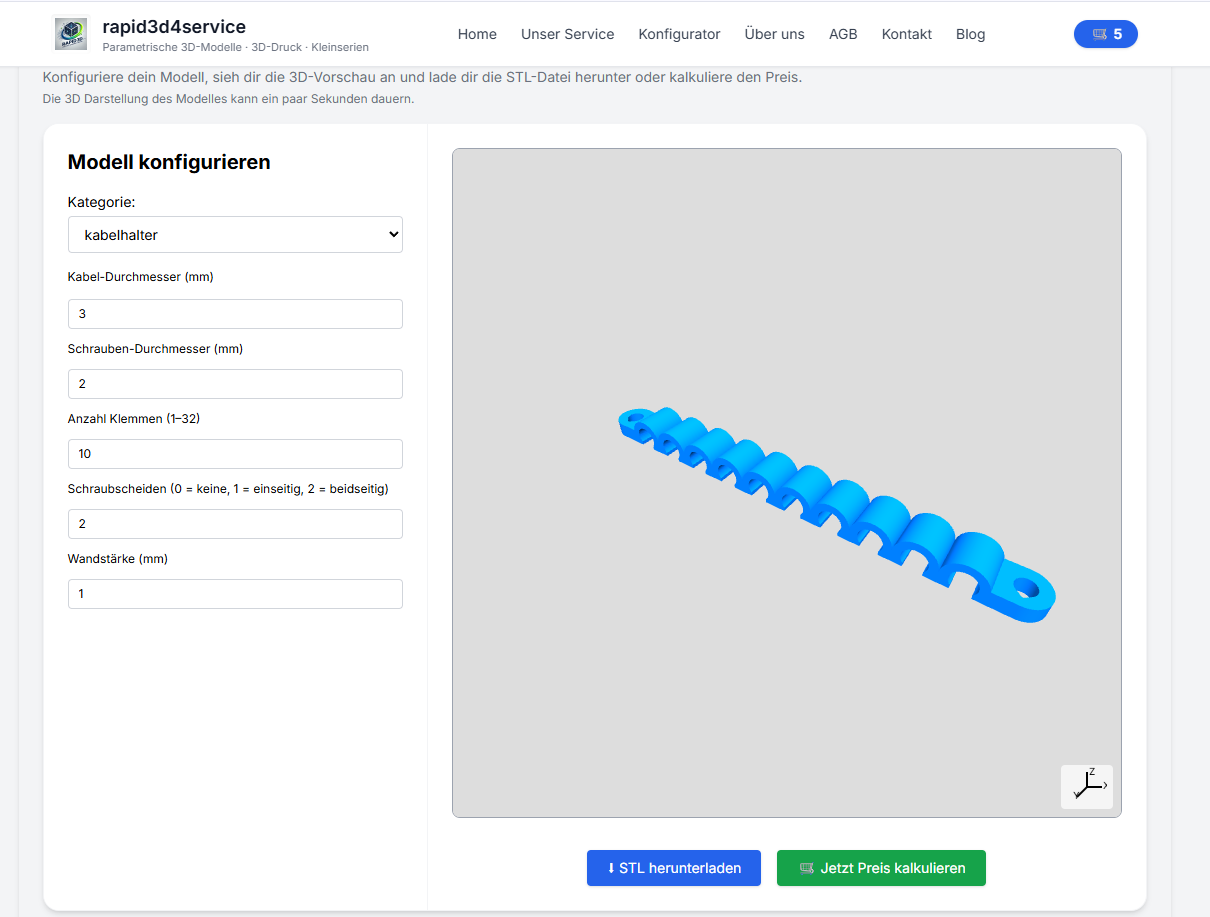
Tolerances & clamping force: the perfect cable fit
The clip must be tight enough for the cable to engage properly, but it must not squeeze the cable. The most important adjusting screw is the Kabel-diameter. The following rule of thumb helps in practice:
| Cable type | Recommended game | Example |
|---|---|---|
| Soft cables (silicone/fine wire) | +0.2 to +0.4 mm | set 3.5 mm cable → 3.7-3.9 mm |
| Standard PVC pipes | +0.3 to +0.6 mm | 6.0 mm cable → Set 6.3-6.6 mm |
| Stiff/rough outer shells | +0.5 to +0.9 mm | set 10 mm lead → 10.5-10.9 mm |
Tip: If you are unsure, print a short test clip (1 clamp) first. Then finely adjust the cable Ø or wall thickness to achieve the perfect clamping force.
Material selection & printing tips (FDM/SLS)
- PETG: zäh, temperatur- and schlagfester – guter Allroander für Montageclips.
- ASA/ABSfor warmer environments/outdoor, good stability (ASA UV-resistant).
- PLA: für prototypes and Innenraum ok, kann bei Wärme nachgeben.
- SLS Nylon (PA12)Ready for workshops and industrial use
FDM recommendation: Layer 0.2 mm, 3-5 perimeters, infill 20-40 %. Orient the clip so that the clamp is printed cleanly (usually "flat"), then the screw areas are stable and the clamp springs well.
Workflow: configure → download STL → print (have printed)
- Measure cables: Außen-Ø with Messschieber or grob with Maßband bestimmen.
- Im configurator einstellen: Cable Ø, screw, number of terminals, screw sheaths, wall thickness.
- STL generate: preview prüfen, dann STL generieren.
- Option A - Download: STL download and selbst slicen (Bambu/Prusa/Cura).
- Option B – 3D printing Service: material auswählen and professionell fertigen lassen.
Also searched for:
Cable holder 3D print, cable clip STL, cable management aluminum profile, cable clamp print, Cable holder made to measure, OpenSCAD parametric, STL download cable holder, cable clip screw mounting.
FAQ
Why is a small selection of parameters in the configurator enough for me?
Because many technical details (e.g. pressure clearance on screws, small chamfers, "printable" holes) already work reliably with sensible default values. So you quickly get a clean model, without having to fight your way through 15 controllers.
Which screw sheath option should I choose (0/1/2)?
2 is the most stable (both sides), 1 saves space/material and is good if the load is carried on one side. 0 is suitable if you glue, rivet or attach the clip in another way.
Can I combine several cable types later?
A separate clip (or set) is recommended for each type for different cable diameters. This ensures that the clamping force per cable remains optimal and the installation looks neat.