


Werkzeug
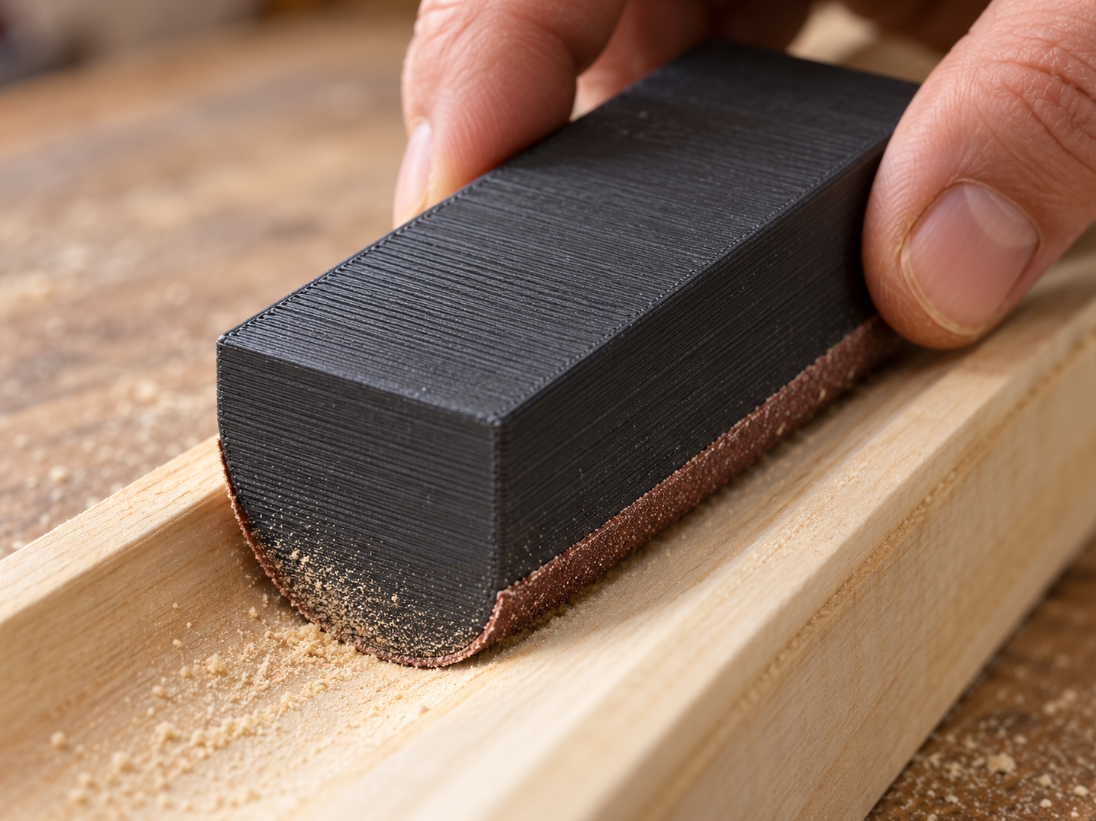
Custom convex sanding shoe for concave mouldings
Hand-sand concave mouldings: configure radius, abrasive thickness and length. A convex working face with a flat back for your circular internal profiles.
Recommendations
Best from Werkzeug



FAQ
Frequently asked questions
What is Configurable 3D component intended for?
Configurable 3D component is a configurable model in the Werkzeug category. When an off-the-shelf part does not fit, configure this parametric configurable 3d component for your project: adjust the dimensions, check the preview, download the STL or order the 3D… It is suitable as a starting point for 3D printing or technical review.
Which dimensions can I adjust for Configurable 3D component?
The available input fields define the dimensions of the generated model, for example Radius, Thickness, Length, Height. Please check the preview and the displayed overall dimensions before ordering.
Is the STL generated from my inputs?
Yes. The STL is generated from the entered parameters and prepared for download or email delivery after payment.
Can I open the STL in Bambu Studio, Cura or PrusaSlicer?
The generated STL is suitable as a starting point for common slicers. Please review orientation, scale, material and print settings in your slicer software.
Do I need to check dimensions and tolerances before buying?
Yes, please check dimensions before ordering. Fit, strength and tolerances depend on material and print settings; the preview and overall dimensions help with verification.
Which material is suitable for Configurable 3D component?
PLA is useful for samples and simple parts, PETG for tougher applications and ASA for outdoor or higher-temperature use. Load, tolerance and print orientation matter.
Can I download Configurable 3D component as an STL or order it printed?
Yes. After configuration you can use the generated model for STL download or continue to the 3D printing order flow with price calculation.
What are typical uses for Configurable 3D component?
Typical uses include custom dimensions, repairs, prototypes and mounting aids in the Werkzeug category. For functional parts, always verify load and fit in the final application.
Ratings
What andere sagen
Submit rating
Please Name, E-Mail, Sterne and Kommentar eintragen.