Zum Hauptinhalt springen
Veneer thicknessing bed for your scraper blade – AI product visualization

Workshop & tools

Veneer thicknessing bed for your scraper blade

Draw thin veneer strips by hand beneath your own scraper blade to suit an inlay groove.

0 Likes
★★★★★
0.0/5 · 0 Ratings

STL file: Price currently unavailable.

Finished 3D print: calculate the price after creating your model.

parameters
5 adjustable
Variants
0 ideas
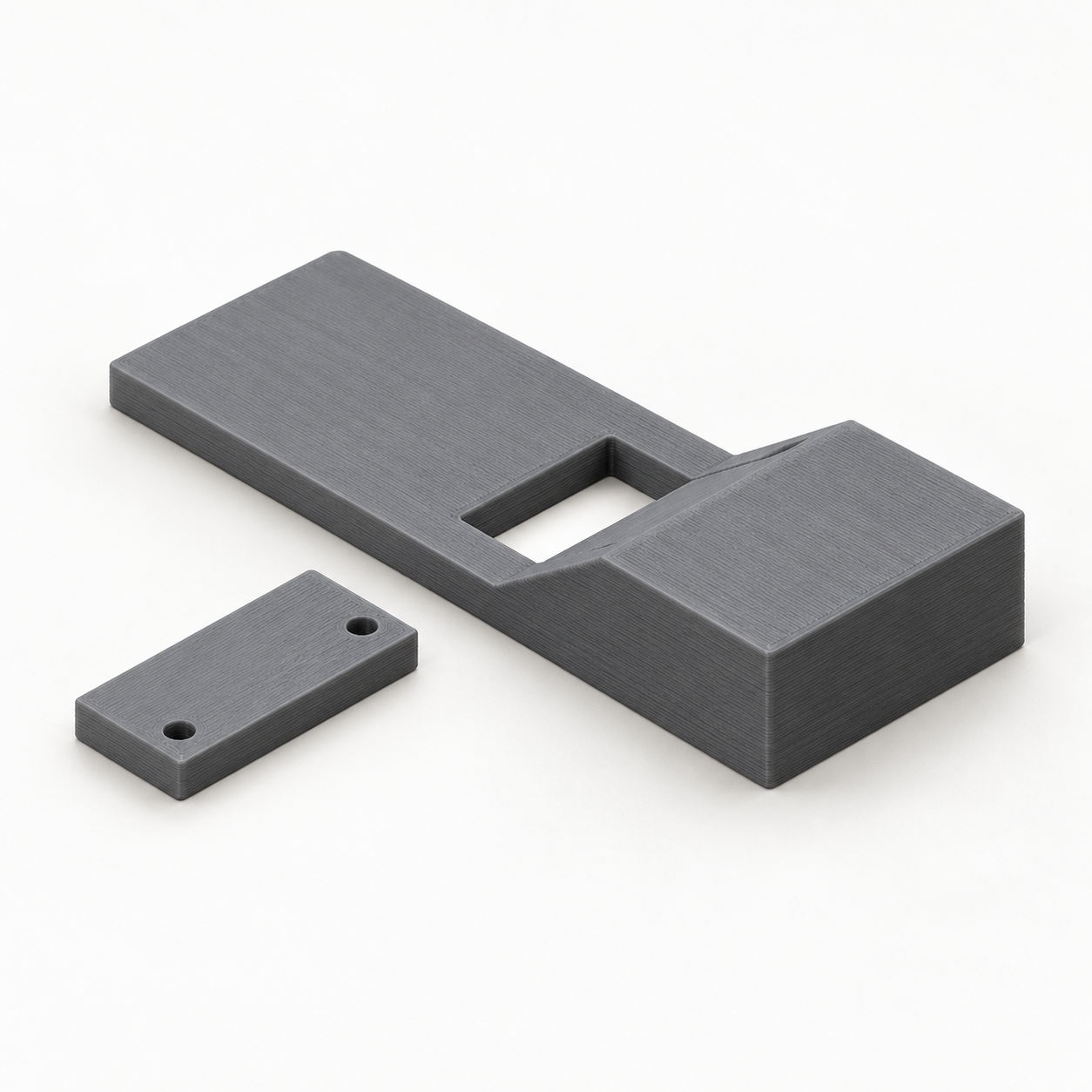
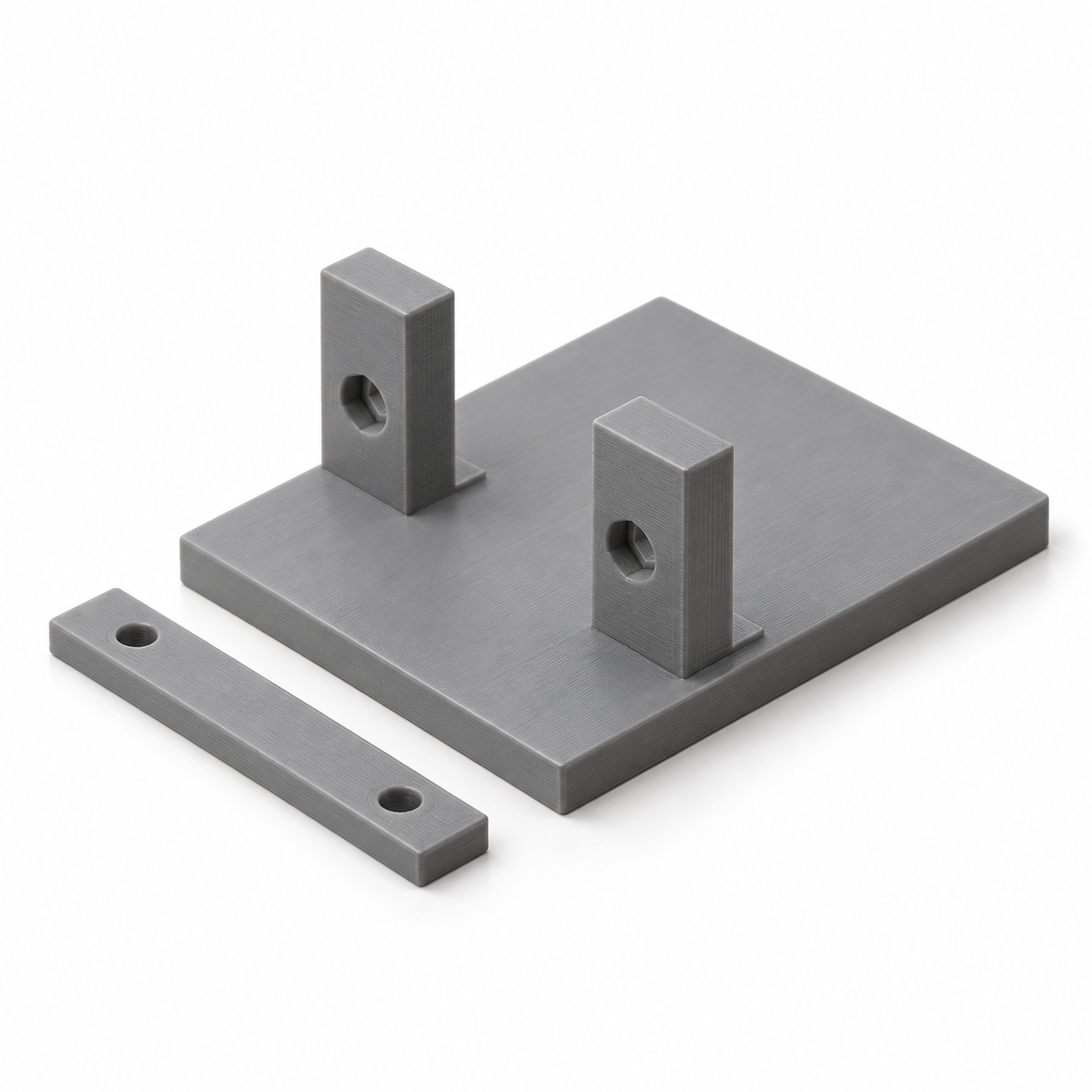
The support bed guides a narrow veneer strip under a fixed scraper blade. Use light hand passes to reduce thin, soft veneer for your inlay groove. The configured gap is a nominal geometric dimension; print texture and blade shape affect the result. Supply a straight metal scraper blade with the selected height and thickness. Its length across the bed must equal the clear strip width plus 8 mm. Rest the blade ends on the two shoulders with the cutting edge down, then attach the separate clamping bar with two of your own M3 screws and nuts. The screws pass beside the blade ends. Check the actual gap on scrap material. Secure the bed to a firm surface and use light pulls, not thick or hard strips. Adjustable values: Clear veneer-strip width: 10–35 mm; Nominal gap below the cutting edge: 0.3–2 mm; Your scraper-blade height: 15–30 mm; Your scraper-blade thickness: 0.5–1.5 mm; Support-bed length: 55–100 mm. Have your own 3D printer? Configure the dimensions, purchase the STL file and download the 3D model to print yourself. Without a printer, have us make the part: choose a material, calculate the price online, then order and pay online. Geometry has been digitally checked. No physical test print has been carried out. The product image is a photorealistic AI visualization of the default dimensions. Mentioned third-party accessories are not included.

FAQ

Frequently asked questions

What is Configurable 3D component intended for?

Configurable 3D component is a configurable model in the Werkstatt & Werkzeuge category. When an off-the-shelf part does not fit, configure this parametric configurable 3d component for your project: adjust the dimensions, check the preview, download the STL or order the 3D… It is suitable as a starting point for 3D printing or technical review.

Which dimensions can I adjust for Configurable 3D component?

The available input fields define the dimensions of the generated model, for example Width, Specific dimension, Height, Thickness, Length. Please check the preview and the displayed overall dimensions before ordering.

Is the STL generated from my inputs?

Yes. The STL is generated from the entered parameters and prepared for download or email delivery after payment.

Can I open the STL in Bambu Studio, Cura or PrusaSlicer?

The generated STL is suitable as a starting point for common slicers. Please review orientation, scale, material and print settings in your slicer software.

Do I need to check dimensions and tolerances before buying?

Yes, please check dimensions before ordering. Fit, strength and tolerances depend on material and print settings; the preview and overall dimensions help with verification.

Which material is suitable for Configurable 3D component?

PLA is useful for samples and simple parts, PETG for tougher applications and ASA for outdoor or higher-temperature use. Load, tolerance and print orientation matter.

Can I download Configurable 3D component as an STL or order it printed?

Yes. After configuration you can use the generated model for STL download or continue to the 3D printing order flow with price calculation.

What are typical uses for Configurable 3D component?

Typical uses include custom dimensions, repairs, prototypes and mounting aids in the Werkstatt & Werkzeuge category. For functional parts, always verify load and fit in the final application.

Ratings

What andere sagen

★★★★★
0.0/5 · 0 Ratings

Submit rating

Please Name, E-Mail, Sterne and Kommentar eintragen.

Wed nur zur Spam-Abwehr genutzt (im Backend gehasht gespeichert).

★★★★★

Bis zu 5 Bilder, JPG/PNG/WebP, maximal 5 MB pro Bild.

Latest reviews

Noch no Bewertungen – sei der Erste 🙂

Mindestbestellwert noch nicht erreicht

Für physische 3D-Drucke gilt ein Mindestbestellwert von 10,00 €. Dir fehlen noch . Digitale STL-Dateien und Versandkosten zählen nicht zum Mindestbestellwert.

Du kannst weitere Produkte auswählen oder die Menge eines vorhandenen 3D-Drucks erhöhen.

Photo to 3D

What would you like to create? Choose an option – you will upload your source on the next page.

Example of a 3D relief created from a photo Photo to ReliefTurn your photo into a tactile 3D relief.Proven relief configurator · STL or printed partStart now → Example of a personalized 3D figurine created from a photo Photo to FigurineTurn your photo into a personalized 3D figurine with individual shape and color.Turntable preview · print or digital STLStart now → Floor plan and the spatial 3D model created from it Floor Plan to 3DTurn your floor plan into a spatial 3D model with detected walls and openings.Review preview · confirm recognition and assumptionsStart now → Technical drawing and the 3D part created from it Drawing to 3DCreate a printable 3D model from a technical drawing when geometry and dimensions can be identified clearly.Review preview · verify dimensions and viewsStart now →