

STL tutorials ·
Extrude a flat face on an STL
Raise a connected flat surface by a distance in millimetres. Check the selection and joins in the preview.
Deutsch · English · Français · Español
Raise a connected flat surface by a distance in millimetres. Check the selection and joins in the preview.
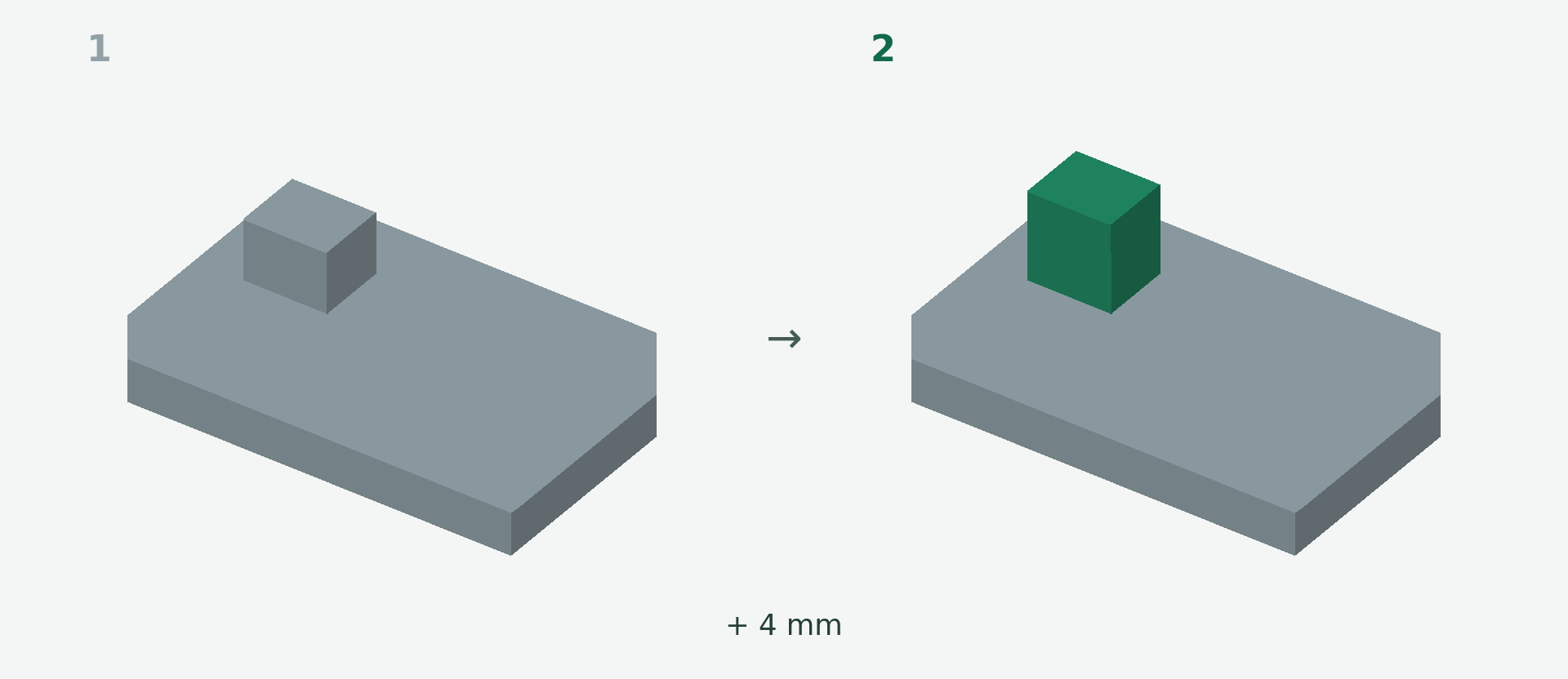
Rendered example views: 1 shows the original model and 2 the calculated result. The images illustrate the model geometry, not the editor interface.
A simple example
A flat support surface needs to be 4 mm higher.
Step by step
- Choose Extrude in the editor.
- Click the flat outer face you want to raise. The dark-green highlight shows the connected selection.
- Set the height to 4 mm. This is the added height, not the total part height.
- Inspect the calculated preview and its connection to the body, then apply.
What to check
The selection follows the connected planar face. This tool does not uniformly thicken an arbitrary curved surface.
Preview and save
A preview is not a saved change. Wait for the checked result and choose Apply. If the button is disabled, read the message and check the selection or inputs. The offered STL download is paid; you will see the current price before purchase.
Nächster Schritt