

Hobbies, learning & leisure STL guides ·
Pencil height marker for model-hull waterlines STL: Create a Custom-Size 3D Model
Create a custom-size pencil height marker for model-hull waterlines STL for your own 3D printer. Check the model controls, measure the fit and buy the generated digital file.
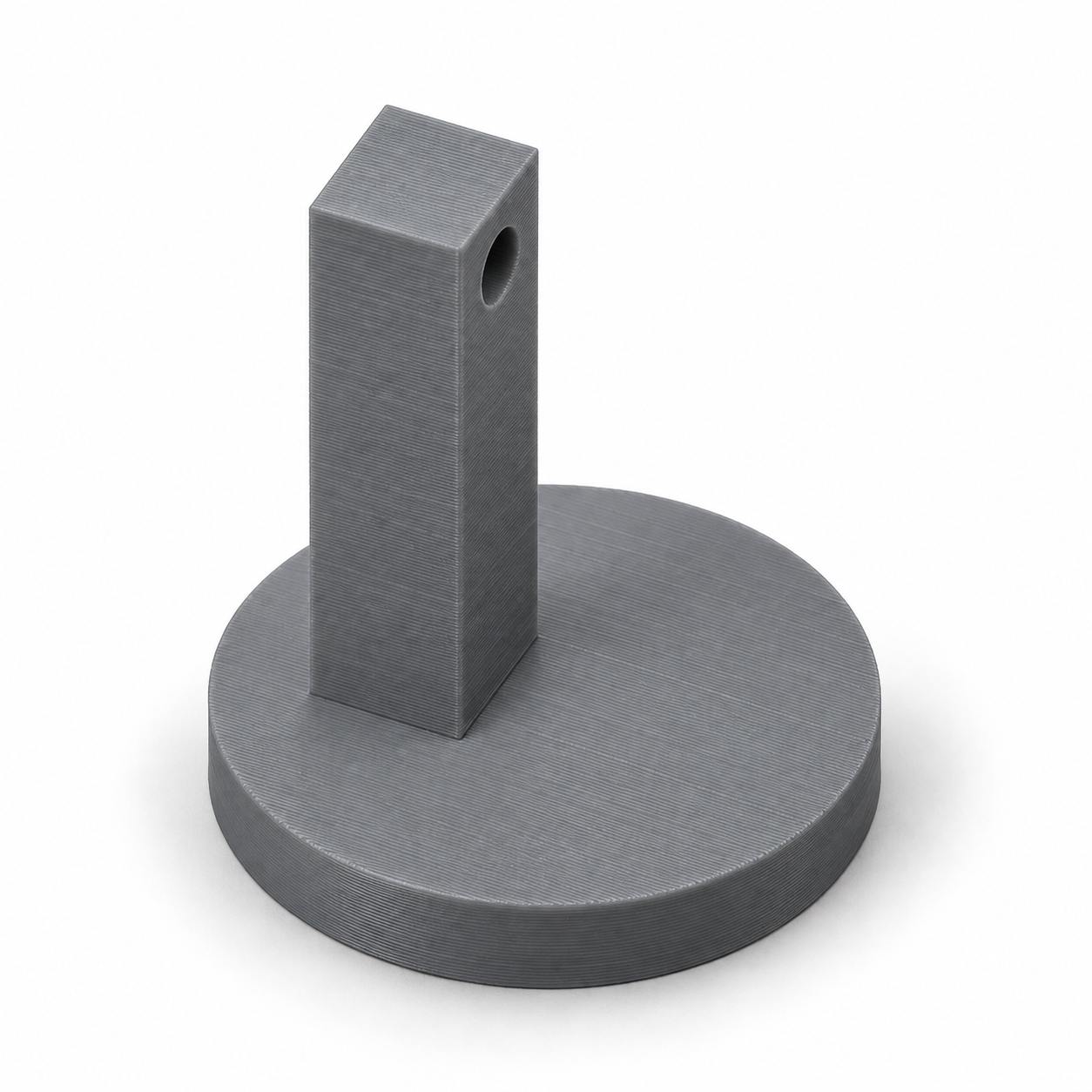
A round base and rigid upright hold your own round pencil horizontally. The configured marking height is the distance from the table to the pencil axis and remains fixed after printing. Secure the model hull in its intended attitude, point the pencil at the marking surface and move the base around the model with light contact. The sharpened tip must lie on the pencil axis. Choose the bore size including printing clearance; shim a loose pencil with thin paper. Hold the base throughout the movement. This is not a fine-adjustment measuring stand and has no guaranteed accuracy.
With the Pencil height marker for model-hull waterlines template, you can turn those measurements into a custom-size STL. Review controls such as marking height above table, pencil bore with clearance, base diameter, check your model in the preview and choose the digital file. You buy the generated STL and print it on your own 3D printer, using your preferred filament and slicer settings.
Measurements for your pencil height marker for model-hull waterlines STL
The product page exposes the following useful geometry controls. Work from your measured parts and check the displayed units and the preview before entering final values.
| Model control | What to check |
|---|---|
| Marking height above table | Measure from the relevant seating surface and check the available vertical clearance. |
| Pencil bore with clearance | Check whether the input adds an allowance or describes the finished opening. Avoid adding it twice. |
| Base diameter | Measure across the circular feature and confirm which mating surface it represents. |
Confirm the working geometry before buying the file
Compare the pictured shape with the actual task, not only the product name. Mark which faces touch other objects, which parts need to move and which pieces are supplied separately. The model controls change an existing design; they do not automatically add a feature that the template does not include. Check the complete motion or assembly space in the preview before choosing your final dimensions.
Configure the model, buy the STL and print locally
- Open the pencil height marker for model-hull waterlines product page and compare the model preview with your application.
- Enter the relevant measurements. Use the units displayed beside each input; convert inch measurements before using a millimetre field.
- Review the complete geometry and keep a record of your parameter values. Check small openings, mating features and remaining wall thickness.
- Choose the digital STL purchase option and review the current price and order details before payment.
- After receiving the STL, open it in your slicer, confirm the imported dimensions and inspect the layer preview before printing.
Configure my pencil height marker for model-hull waterlines STL
Check a first print before making more
A CAD dimension and a printed dimension can differ. Print a fit sample or one prototype before making a batch, and check the features that contact other parts. Choose print orientation, supports and material for the actual geometry and application. There is no universal clearance or print profile that guarantees the fit on every machine.
Before you choose your STL
Why configure the model instead of scaling a download?
Uniform scaling changes all dimensions together. Here you can work with the available controls, including marking height above table, pencil bore with clearance, base diameter, and check the result before purchase. Keep your input values for later revisions: the downloaded STL contains the final mesh, rather than the original parametric editing history.
What do I buy?
Select the digital STL option for the file you will print yourself. Review the current price and selected configuration before paying. Ordering a finished print is a separate option.
Make the next print fit your project
Have your measurements ready? Open the pencil height marker for model-hull waterlines template, adjust the model and inspect the preview. When the geometry matches what you need, choose your STL and take it to your own printer.
Next step