


Gears & mechanics STL guides ·
Bead-chain wheel with ball pockets STL: Create a Custom-Size 3D Model
Create a custom-size bead-chain wheel with ball pockets STL for your own 3D printer. Check the model controls, measure the fit and buy the generated digital file.
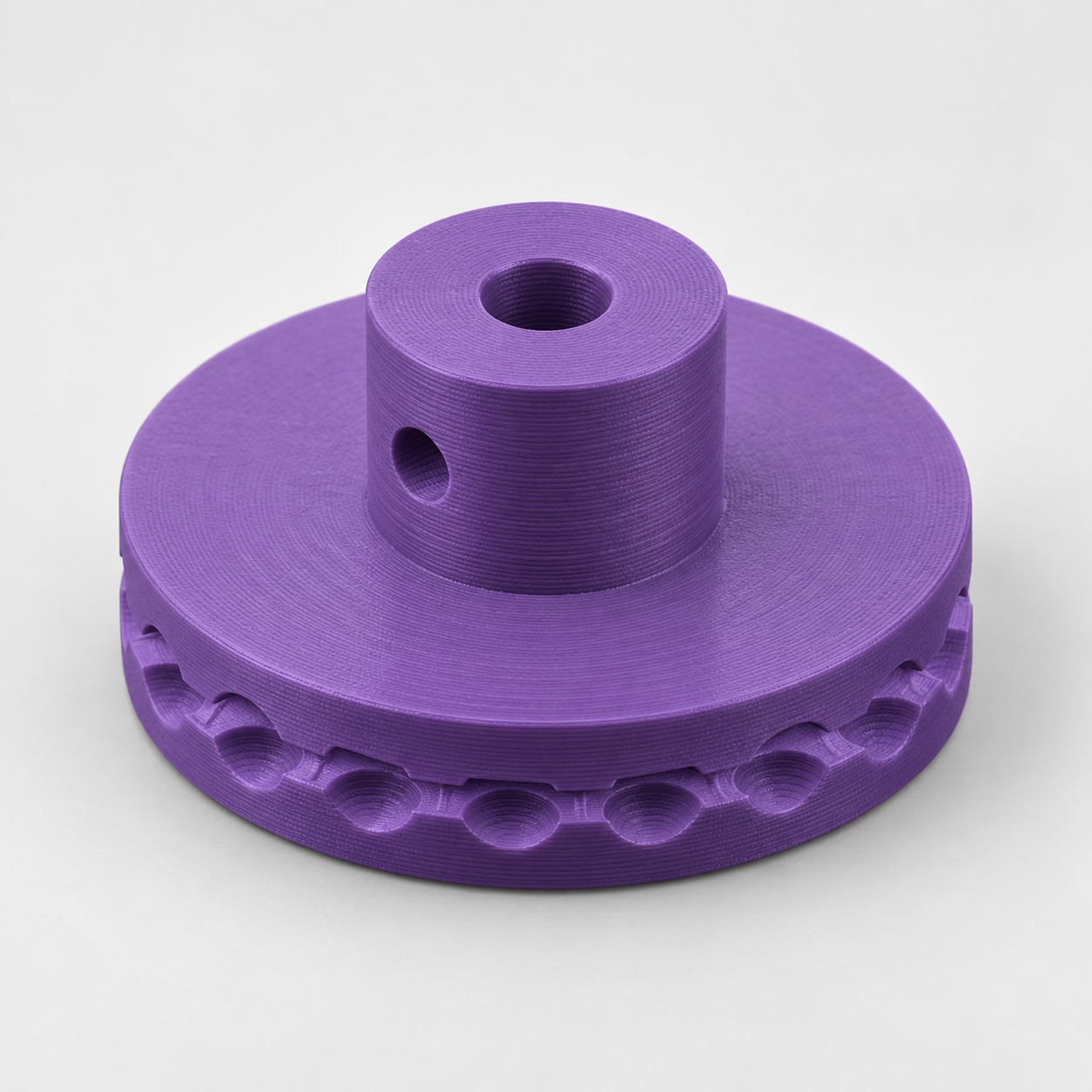
Round pockets engage the chain balls, while a narrow circumferential groove clears the connecting stems. Measure the ball diameter and average the spacing of several centres instead of relying on a chain size name. Pitch means the distance between adjacent ball centres. Connecting stems must be thinner than 42 percent of the ball diameter. The shaft bore has 0.3 mm diametral allowance. Carefully hand-tap the lateral 3.3 mm pilot hole for your M4 set screw. Chain, shaft and screw are separate. Check free engagement before use. For light hand-driven models, not powered drives, lifting equipment or blind-safety hardware.
With the Bead-chain wheel with ball pockets for hand drives template, you can turn those measurements into a custom-size STL. Review controls such as ball diameter of your chain, adjacent ball centre spacing, number of ball pockets, check your model in the preview and choose the digital file. You buy the generated STL and print it on your own 3D printer, using your preferred filament and slicer settings.
Measurements for your bead-chain wheel with ball pockets STL
The product page exposes the following useful geometry controls. Work from your measured parts and check the displayed units and the preview before entering final values.
| Model control | What to check |
|---|---|
| Ball diameter of your chain | Measure across the circular feature and confirm which mating surface it represents. |
| Adjacent ball centre spacing | Use a consistent reference point on adjacent repeated features. |
| Number of ball pockets | Count the repeated features needed and check their overall span in the preview. |
| Bore for your shaft | Measure the mating shaft or fastener and decide what type of fit the opening needs. |
| Hub projection | Check this feature against the matching component and confirm its effect in the 3D preview. |
Confirm the working geometry before buying the file
Compare the pictured shape with the actual task, not only the product name. Mark which faces touch other objects, which parts need to move and which pieces are supplied separately. The model controls change an existing design; they do not automatically add a feature that the template does not include. Check the complete motion or assembly space in the preview before choosing your final dimensions.
Configure the model, buy the STL and print locally
- Open the bead-chain wheel with ball pockets product page and compare the model preview with your application.
- Enter the relevant measurements. Use the units displayed beside each input; convert inch measurements before using a millimetre field.
- Review the complete geometry and keep a record of your parameter values. Check small openings, mating features and remaining wall thickness.
- Choose the digital STL purchase option and review the current price and order details before payment.
- After receiving the STL, open it in your slicer, confirm the imported dimensions and inspect the layer preview before printing.
Configure my bead-chain wheel with ball pockets STL
Check a first print before making more
A CAD dimension and a printed dimension can differ. Print a fit sample or one prototype before making a batch, and check the features that contact other parts. Choose print orientation, supports and material for the actual geometry and application. There is no universal clearance or print profile that guarantees the fit on every machine.
Before you choose your STL
Why configure the model instead of scaling a download?
Uniform scaling changes all dimensions together. Here you can work with the available controls, including ball diameter of your chain, adjacent ball centre spacing, number of ball pockets, and check the result before purchase. Keep your input values for later revisions: the downloaded STL contains the final mesh, rather than the original parametric editing history.
What do I buy?
Select the digital STL option for the file you will print yourself. Review the current price and selected configuration before paying. Ordering a finished print is a separate option.
Make the next print fit your project
Have your measurements ready? Open the bead-chain wheel with ball pockets template, adjust the model and inspect the preview. When the geometry matches what you need, choose your STL and take it to your own printer.
Next step