


Gears & mechanics STL guides ·
Adjustable friction clutch STL: Create a Custom-Size 3D Model
Create a custom-size adjustable friction clutch STL for your own 3D printer. Check the model controls, measure the fit and buy the generated digital file.
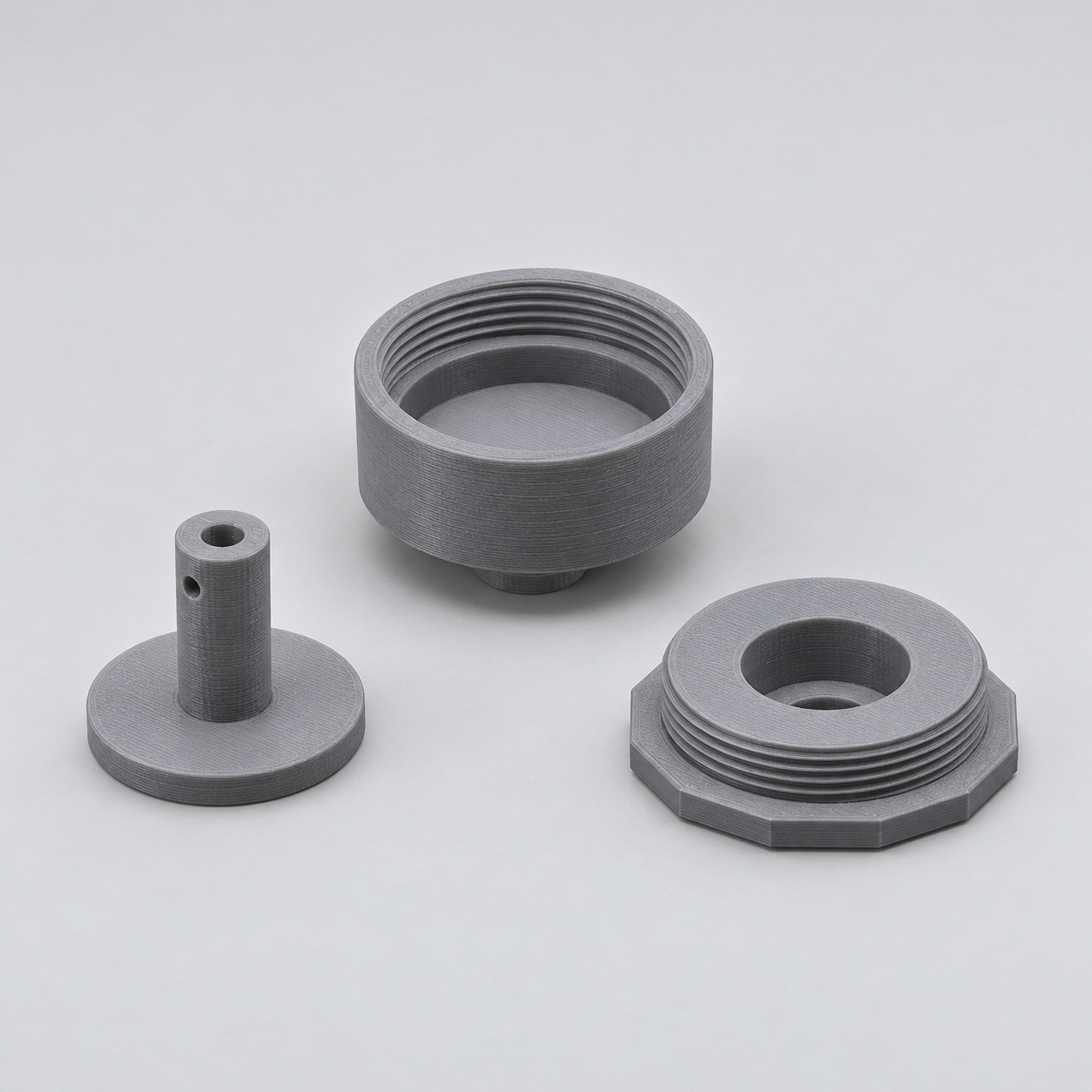
The printed set contains an input cup, output disc with hub and threaded adjusting cap. Place your thin felt or suitable friction lining on the cup floor, insert the disc and slide a light compression spring over its hub. Spring inside diameter must exceed hub diameter by at least 1 mm; the hub measures shaft diameter plus 8 mm. The cap changes spring preload. Choose a spring that works without becoming coil-bound in the available space, about 13 mm with the cap fully seated. Keep at least 6 mm of thread engagement.
With the Adjustable friction clutch for hand-turned shafts template, you can turn those measurements into a custom-size STL. Review controls such as friction disc diameter, diameter of both shafts, thickness of your friction lining, check your model in the preview and choose the digital file. You buy the generated STL and print it on your own 3D printer, using your preferred filament and slicer settings.
Measurements for your adjustable friction clutch STL
The product page exposes the following useful geometry controls. Work from your measured parts and check the displayed units and the preview before entering final values.
| Model control | What to check |
|---|---|
| Friction disc diameter | Measure across the circular feature and confirm which mating surface it represents. |
| Diameter of both shafts | Measure across the circular feature and confirm which mating surface it represents. |
| Thickness of your friction lining | Measure between the two relevant faces and check fit in any receiving slot. |
| Outside diameter of your compression spring | Measure the external mating surface; compare it with the receiving opening. |
| Radial thread clearance | Check whether the input adds an allowance or describes the finished opening. Avoid adding it twice. |
Confirm the working geometry before buying the file
Compare the pictured shape with the actual task, not only the product name. Mark which faces touch other objects, which parts need to move and which pieces are supplied separately. The model controls change an existing design; they do not automatically add a feature that the template does not include. Check the complete motion or assembly space in the preview before choosing your final dimensions.
Configure the model, buy the STL and print locally
- Open the adjustable friction clutch product page and compare the model preview with your application.
- Enter the relevant measurements. Use the units displayed beside each input; convert inch measurements before using a millimetre field.
- Review the complete geometry and keep a record of your parameter values. Check small openings, mating features and remaining wall thickness.
- Choose the digital STL purchase option and review the current price and order details before payment.
- After receiving the STL, open it in your slicer, confirm the imported dimensions and inspect the layer preview before printing.
Configure my adjustable friction clutch STL
Check a first print before making more
A CAD dimension and a printed dimension can differ. Print a fit sample or one prototype before making a batch, and check the features that contact other parts. Choose print orientation, supports and material for the actual geometry and application. There is no universal clearance or print profile that guarantees the fit on every machine.
Before you choose your STL
Why configure the model instead of scaling a download?
Uniform scaling changes all dimensions together. Here you can work with the available controls, including friction disc diameter, diameter of both shafts, thickness of your friction lining, and check the result before purchase. Keep your input values for later revisions: the downloaded STL contains the final mesh, rather than the original parametric editing history.
What do I buy?
Select the digital STL option for the file you will print yourself. Review the current price and selected configuration before paying. Ordering a finished print is a separate option.
Make the next print fit your project
Have your measurements ready? Open the adjustable friction clutch template, adjust the model and inspect the preview. When the geometry matches what you need, choose your STL and take it to your own printer.
Next step