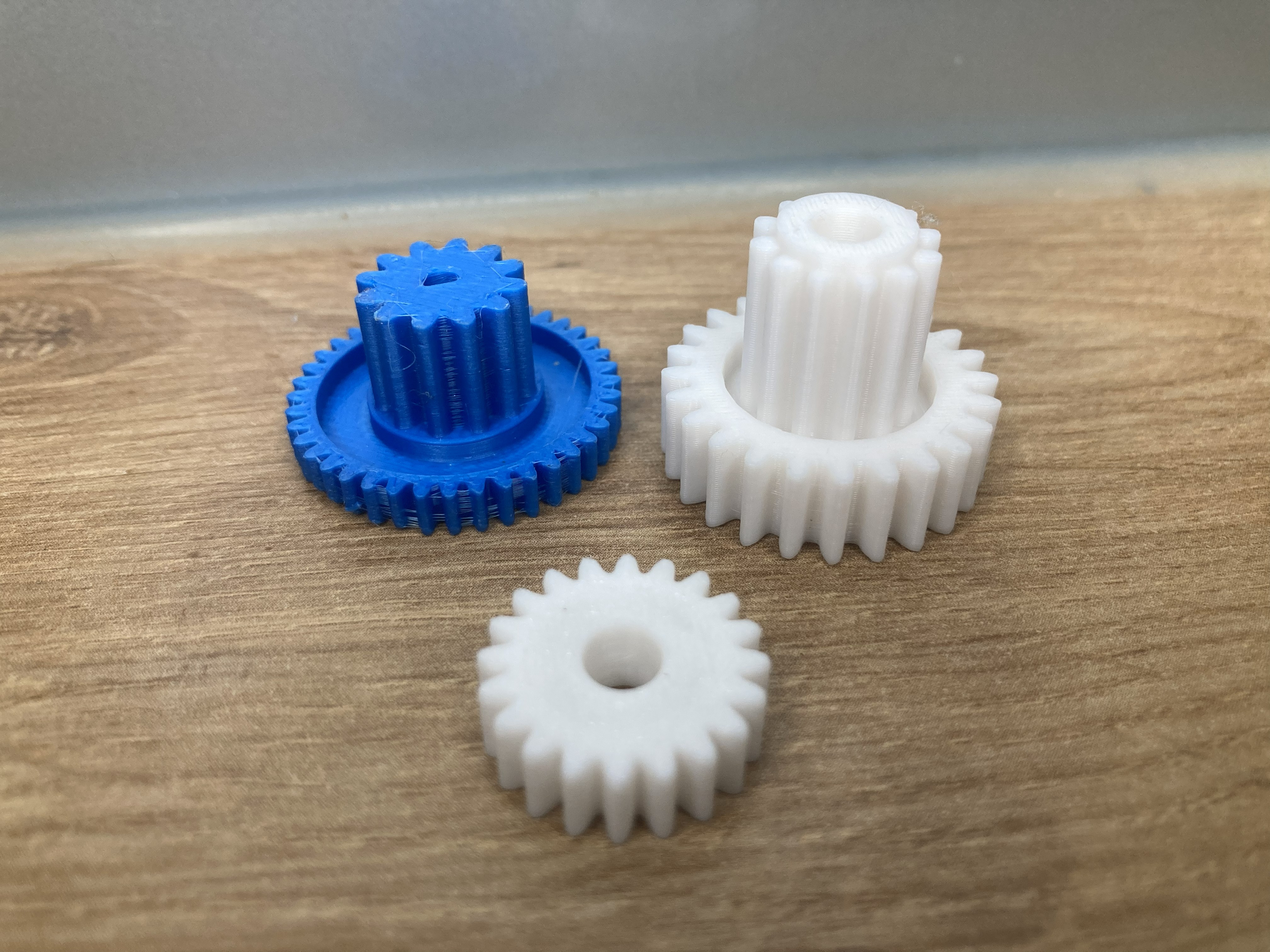


Gears, Replacement Parts, STL Configurator, 3D Printing ·
Create Replacement Gears Without CAD – Configure Spur Gears and Generate STL Files Online
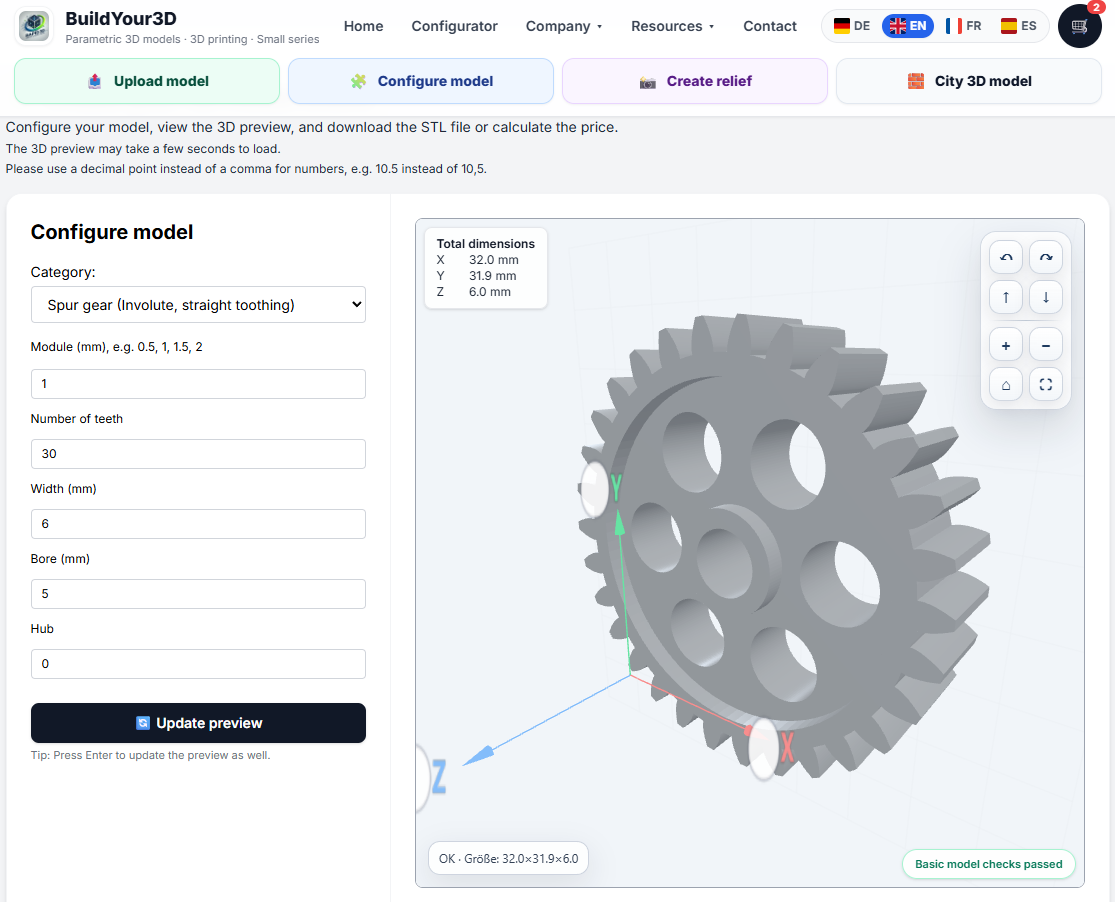
Need a replacement gear for an old machine or broken device? Configure custom involute spur gears online and generate STL files without CAD software using the parametric gear configurator from buildyour3d.com.
# Create Replacement Gears Without CAD – Configure Spur Gears Online
A broken gear often makes an entire machine unusable. In many older devices and machines, replacement gears are no longer available.
That is exactly where the parametric gear configurator from buildyour3d.com becomes useful.
With the concept **“Your dimensions. Your model. No CAD required.”**, custom involute spur gears can be configured online and generated as STL files without complicated CAD software.
Old Machines Often Fail Because of a Small Plastic Gear
In many cases, the entire machine is still functional, but a small plastic gear is damaged:
- worn teeth
- cracked hubs
- broken gear flanks
- enlarged bore holes
- age-related material fatigue
Typical examples include:
- kitchen appliances
- coffee machines
- printers
- cassette and CD drives
- RC and hobby projects
- workshop tools
- industrial equipment
- gearboxes
- conveyor systems
- motor drives
Original spare parts are often discontinued or impossible to find.
Configure a Gear Online Instead of Designing It in CAD
Creating a functional gear manually in CAD software can be difficult and time-consuming.
The online gear configurator simplifies the process:
1. Select a gear model
2. Enter dimensions
3. Check the 3D preview
4. Generate the STL file
This allows users to create custom gears quickly without engineering software.
Important Spur Gear Parameters Explained
A functional spur gear requires several important parameters.
Module (mm)
The module defines the tooth size of the gear and is one of the most important parameters.
Typical modules:
- 0.5
- 1
- 1.5
- 2
Important:
The module must match the mating gear. Different modules will not mesh correctly.
Number of Teeth
The tooth count affects:
- gear ratio
- diameter
- rotational behavior
More teeth usually mean:
- larger gear diameter
- smoother operation
- different transmission ratios
Gear Width
The width defines the thickness of the gear along the axis.
A larger width may:
- increase durability
- improve load distribution
- improve strength
Bore Diameter
The bore defines the inner hole for the shaft or axle.
The bore should include proper tolerances depending on the shaft fit.
Hub
The hub is the raised center section of the gear.
It improves:
- shaft stability
- torque transfer
- mounting strength
How to Calculate the Module of an Old Gear
Old or damaged gears often have no technical documentation. However, the module can often be estimated.
A common approximation formula is:
**Module = Outside Diameter / (Number of Teeth + 2)**
Example:
- outside diameter: 32 mm
- number of teeth: 30
Calculation:
**32 / (30 + 2) = 1**
The module is approximately **1**.
For critical mechanical applications, additional verification is recommended.
How to Measure a Broken Gear Correctly
Before configuring a replacement gear, careful measurement is important.
The most important values are:
- outside diameter
- tooth count
- width
- bore diameter
- hub dimensions
- shaft diameter
Useful measuring tools:
- calipers
- micrometers
- gear gauges
Even damaged gears can often still be measured accurately enough for replacement.
Generate STL Gear Files Online
After entering the parameters, the configurator automatically generates a custom STL gear model.
The integrated preview already includes:
- overall dimensions
- measurement lines
- coordinate system
- material preview
- 3D rotation and zoom
This allows users to verify the gear before printing.
3D Printing Replacement Gears
Many replacement gears can be manufactured successfully with 3D printing.
Recommended materials:
- PETG
- ASA
- Nylon
- carbon fiber reinforced filaments
- engineering resins
Material selection and print settings strongly influence:
- durability
- dimensional accuracy
- noise
- wear resistance
Why Parametric Gear Configurators Are Becoming More Important
More users are searching for:
- gear STL generator
- create replacement gear
- involute spur gear STL
- 3D printed gear
- gear without CAD
- calculate gear module
- replacement gear online
This configurator was built specifically for these use cases:
fast technical replacement parts without complex CAD workflows.
Conclusion
The spur gear configurator from buildyour3d.com makes it possible to create custom replacement gears without CAD software.
Simply enter dimensions, check the 3D preview and generate an STL file online.
Perfect for:
- repairs
- old machines
- discontinued spare parts
- prototypes
- custom technical solutions
**Your dimensions. Your model. No CAD required.**
Nächster Schritt
Bereit für den nächsten Schritt?