

Personalization ·
Personalized keychains: which size and lettering really work
Personalize a keychain with the right size, lettering style, and text length so it stays readable, practical, and durable in everyday use.
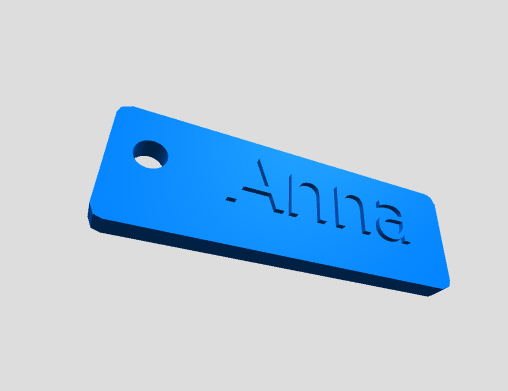
Passendes part directly configure
Customize dimensions and options directly online and request a fitting.
Personalizing a keychain sounds simple, but most mistakes happen at this stage. Too much text, a size that is too small, or a hard-to-read font can make the result look custom while still being difficult to use. A good keychain needs the right balance of text, dimensions, and lettering.
When a personalized keychain makes sense
A custom keychain is useful when it identifies keys quickly, works as a small branded item, or becomes a personal gift. The text should be short enough to remain clear after printing and strong enough for daily handling.
Text length, size, and lettering
Short names, initials, room numbers, or simple labels usually work best. Choose a size that leaves enough material around the letters, and avoid overly thin strokes if the keychain is meant to last.
Configure and print
With the configurator you can set the text, dimensions, thickness, edge, and eyelet. The model can then be downloaded as an STL file or ordered as a professionally printed part.
Implement the product to fit your requirements
If you want to customize the product shown for your application, you can select the most important dimensions and options directly in the configurator.