

Configurators ·
Custom Gears – Configure Spur Gears, Pinions & Replacement Gears Online
Configure custom gears online. Create spur gears, pinions, ring gears and replacement gears with your dimensions. Download the STL file or order professional 3D printing.
```html
⚙️ Configure Custom Gears Online
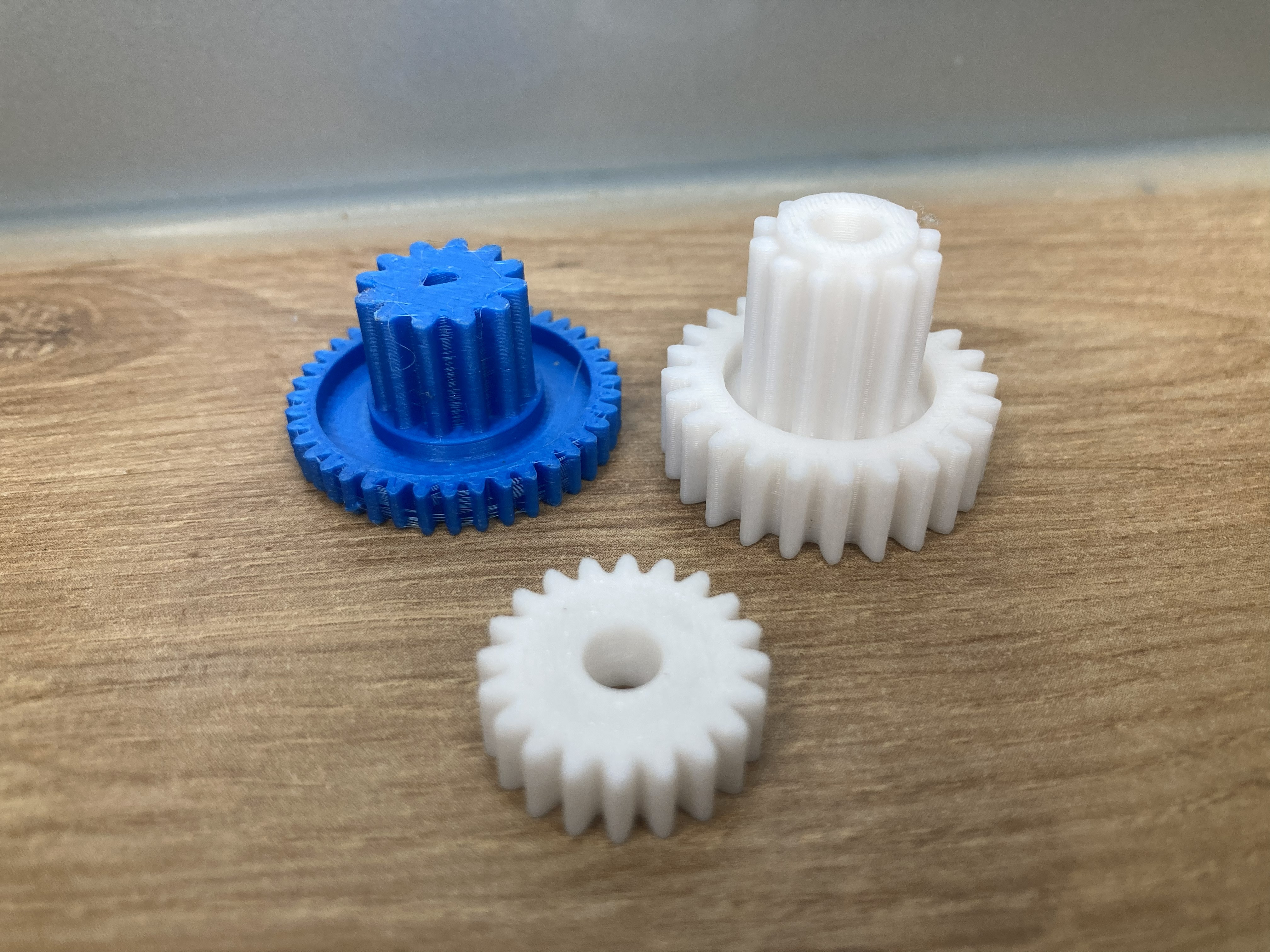
Create custom spur gears, pinions, ring gears and replacement gears directly in your browser. Simply enter the required dimensions, preview the model and either download the STL file or order a professionally manufactured 3D printed gear.
Why choose a custom gear?
Standard gears often do not match the required module, bore diameter, hub size or tooth count. Our online gear configurator lets you create a gear that perfectly fits your application without CAD software.
Typical applications
- Machine engineering
- Industrial automation
- Robotics
- RC models
- Prototype development
- Repair parts
- Educational projects
- Small batch production
Configurable parameters
- Module
- Number of teeth
- Gear width
- Bore diameter
- Hub dimensions
Recommended materials
PETG is suitable for many functional gears. PETG-CF provides increased stiffness, while Nylon is recommended for demanding engineering applications requiring excellent wear resistance.
Frequently Asked Questions
Can I create a replacement gear?
Yes. Configure the required parameters and order a custom replacement gear or download the STL.
Can I order only one gear?
Absolutely. 3D printing is ideal for prototypes, spare parts and small production runs.
Configure Your Gear Today
Create your custom gear online and receive a professional 3D printed part or downloadable STL file.
```
Nächster Schritt