

Adapters & connections STL guides ·
Dust extraction blast gate with hose spigots STL: Create a Custom-Size 3D Model
Create a custom-size dust extraction blast gate with hose spigots STL for your own 3D printer. Check the model controls, measure the fit and buy the generated digital file.
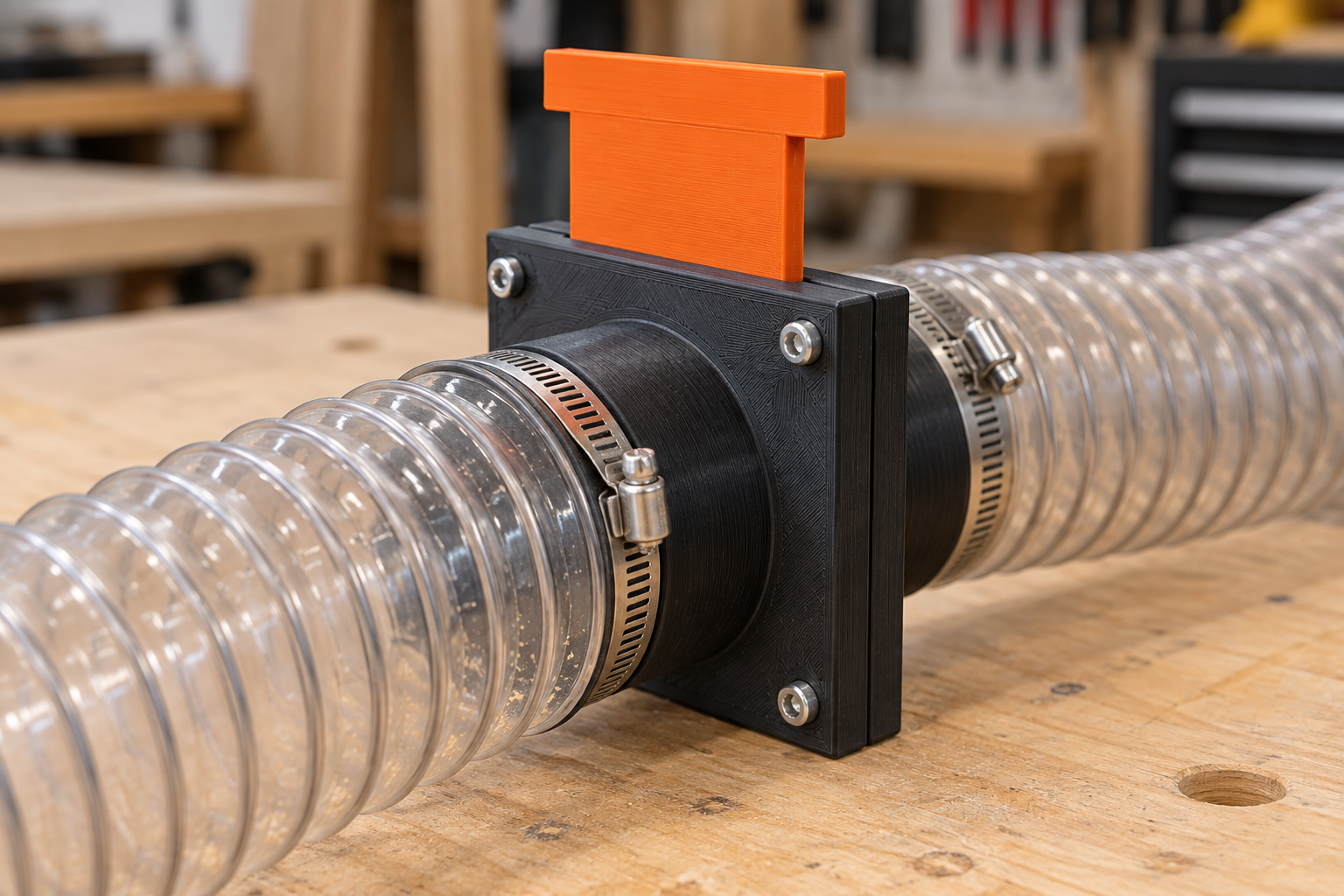
Does your extraction hose miss standard blast-gate sizes? This model connects two matching spigots through a manual sliding blade. The housing halves bolt together. The solid blade pulls out to open; it has no circular through-hole.
With the Custom dust extraction blast gate with hose spigots template, you can turn those measurements into a custom-size STL. Review controls such as spigot outside diameter, spigot length per side, spigot wall thickness, check your model in the preview and choose the digital file. You buy the generated STL and print it on your own 3D printer, using your preferred filament and slicer settings.
Measurements for your dust extraction blast gate with hose spigots STL
The product page exposes the following useful geometry controls. Work from your measured parts and check the displayed units and the preview before entering final values.
| Model control | What to check |
|---|---|
| Spigot outside diameter | Measure the external mating surface; compare it with the receiving opening. |
| Spigot length per side | Check both endpoints of the named feature, including its working reach or engagement. |
| Spigot wall thickness | Check the remaining material around openings and inspect the walls in the slicer preview. |
| Plate thickness per half | Measure between the two relevant faces and check fit in any receiving slot. |
| Blade thickness | Measure between the two relevant faces and check fit in any receiving slot. |
| Total sliding clearance | Check whether the input adds an allowance or describes the finished opening. Avoid adding it twice. |
| Assembly screw clearance | Check whether the input adds an allowance or describes the finished opening. Avoid adding it twice. |
| Part to export | Check this feature against the matching component and confirm its effect in the 3D preview. |
Measurement sequence for this design
- Measure the actual hose bore and choose the finished spigot diameter with fitting allowance.
- Allow for the extended blade; opening needs additional sideways travel.
- Check wall thickness and clear bore; export all three pieces with matching parameters.
Decide which surface has to fit
A connector that goes inside an opening is measured differently from a sleeve that fits around a tube. Record each mating surface and the available engagement, then distinguish internal dimensions from external ones. Nominal pipe sizes are not always the dimensions you will measure with calipers. Inspect internal overhangs in the slicer so that supports do not become trapped in a bore.
Fit and parts supplied separately
Prototype for suitable hobby extraction; no airtightness or airflow rating. Not a pressure valve or an ATEX/antistatic component; not validated for hazardous dust, hot chips or sparks. Blade can be fully withdrawn and is not captive.
Configure the model, buy the STL and print locally
- Open the dust extraction blast gate with hose spigots product page and compare the model preview with your application.
- Enter the relevant measurements. Use the units displayed beside each input; convert inch measurements before using a millimetre field.
- Review the complete geometry and keep a record of your parameter values. Check small openings, mating features and remaining wall thickness.
- Choose the digital STL purchase option and review the current price and order details before payment.
- After receiving the STL, open it in your slicer, confirm the imported dimensions and inspect the layer preview before printing.
Configure my dust extraction blast gate with hose spigots STL
Trial-fit the printed geometry
1. Print two housings and one blade. Deburr sliding surfaces and remove all supports. 2. Put the blade between the facing grooves; fit four bolts, washers and nuts. Default holes suit M4; choose length for the assembled stack. 3. Secure and independently support hoses. Test motion and leakage at the intended suction.
Before you choose your STL
Why configure the model instead of scaling a download?
Uniform scaling changes all dimensions together. Here you can work with the available controls, including spigot outside diameter, spigot length per side, spigot wall thickness, and check the result before purchase. Keep your input values for later revisions: the downloaded STL contains the final mesh, rather than the original parametric editing history.
What do I buy?
Select the digital STL option for the file you will print yourself. Review the current price and selected configuration before paying. Ordering a finished print is a separate option.
Make the next print fit your project
Have your measurements ready? Open the dust extraction blast gate with hose spigots template, adjust the model and inspect the preview. When the geometry matches what you need, choose your STL and take it to your own printer.
Next step